

The cost of manual document processing includes more than data entry. Document collection, checking, corrections, retrieval and coordination all consume staff time. Storage, existing software and supervision can add further expense.
Build a reliable estimate by measuring each activity once, then compare it with the full cost of the proposed automated workflow—including human review and implementation.
Which hidden costs should you count?
Count the work required to complete a document, including what happens when it is incomplete or incorrect. Use records and measured time rather than a generic hidden-cost multiplier.
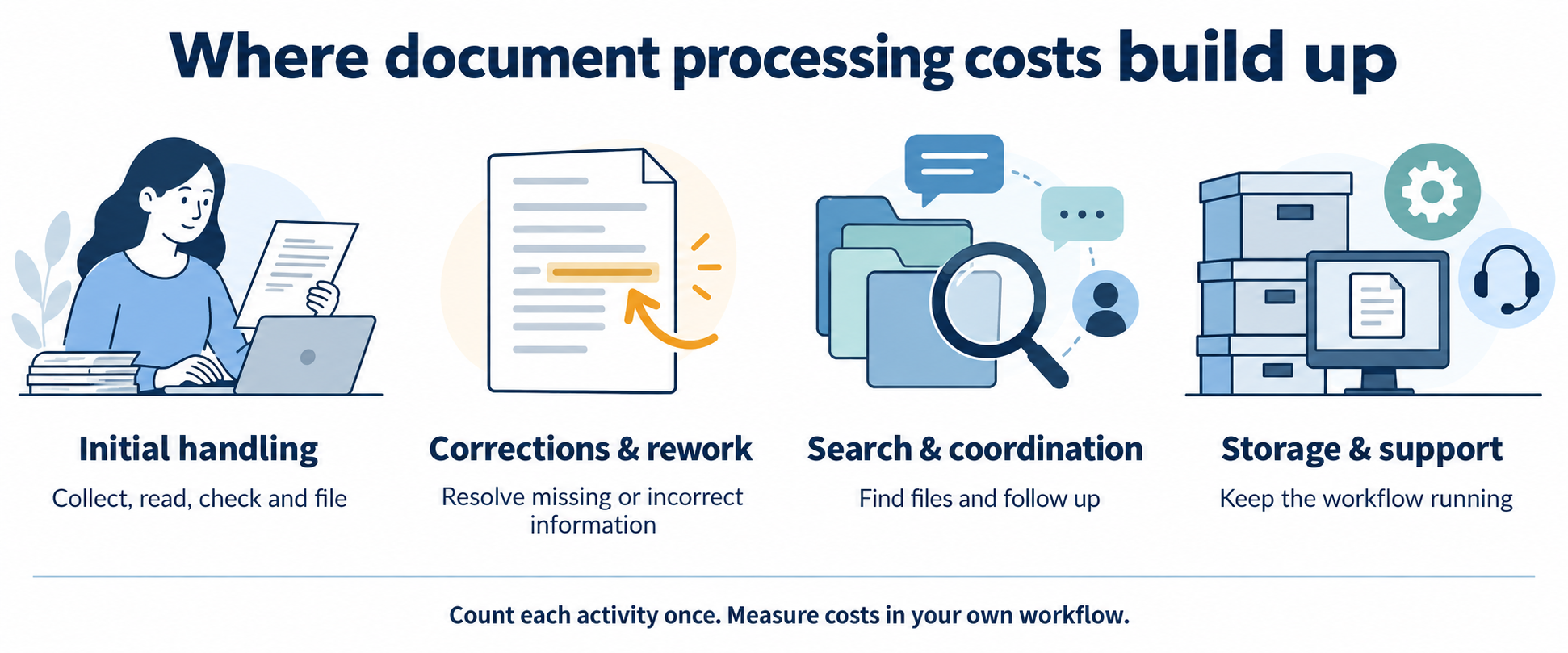
| Cost area | What to measure | Avoid counting twice |
|---|---|---|
| Initial processing | Collection, reading, entry, checking and filing time. | Include these activities once in the initial handling time. |
| Corrections and rework | Share of documents reworked × extra correction time. | Use incremental time beyond the initial review. |
| Search and coordination | Retrieval, reminders and status enquiries. | Exclude time already captured in processing or rework. |
| Overhead | Attributable storage, software, supervision and support. | Exclude costs already included in the loaded hourly rate. |
| Delays and risk | Recorded missed deadlines, service incidents and other outcomes. | Keep uncertain opportunity costs separate from operating expenses. |
How do you measure the current workflow?
Select a representative document sample and record both normal and exception cases. Separate staff effort from elapsed waiting time: a file waiting overnight does not represent eight hours of labour.
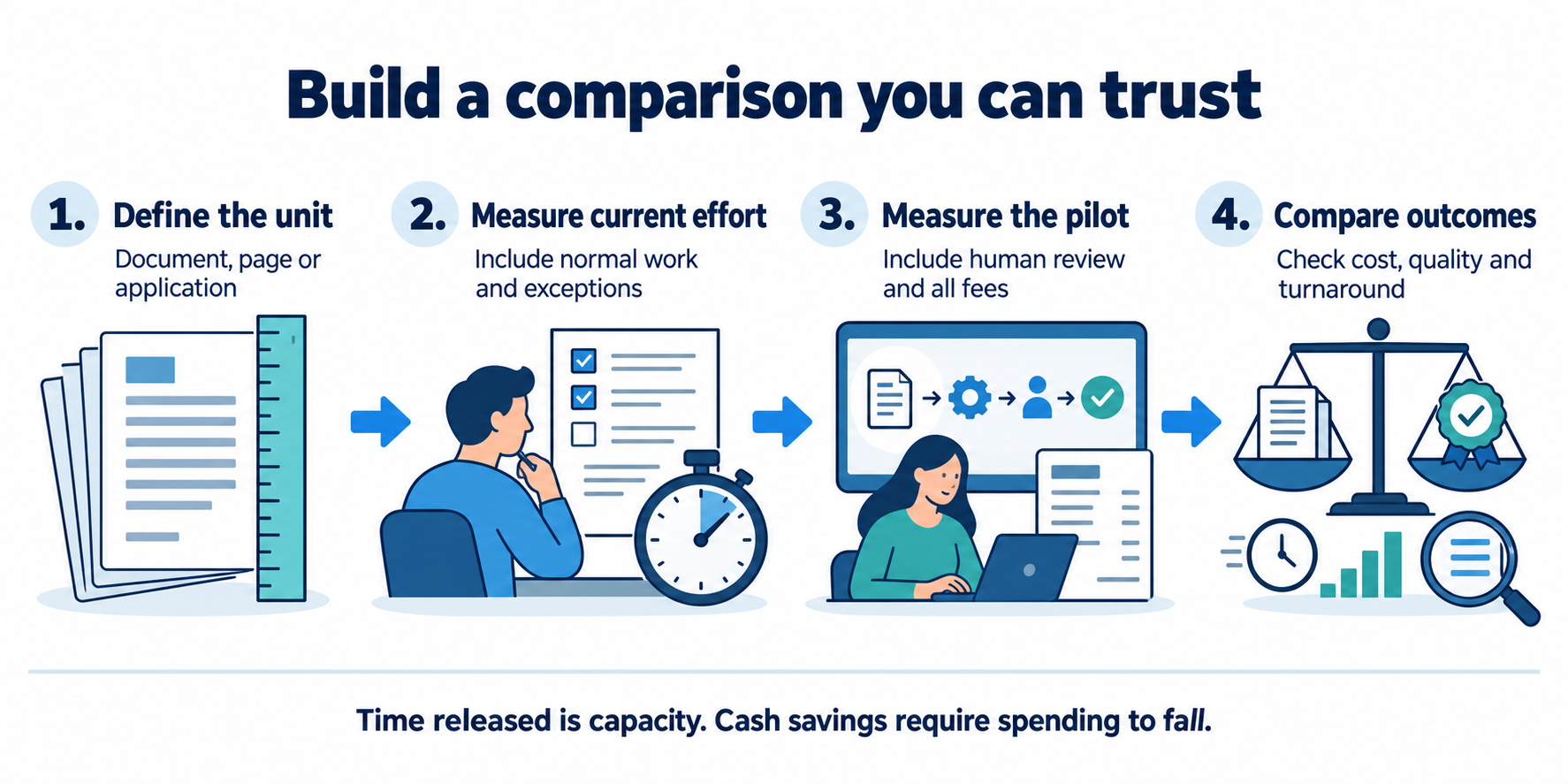
- Define one unitChoose a document, page or application packet. Use the same unit throughout.
- Measure effortTrack initial work and extra rework across the document mix.
- Add actual costsUse a loaded hourly rate and attributable overhead.
- Compare a pilotMeasure human review, fees and quality after automation.
Estimate your monthly processing cost
Change the inputs to explore a scenario. Defaults are illustrative assumptions in INR, not market benchmarks, customer results or a DocuExprt price quote. Inputs stay in this page and are not submitted.
Released staff time is not automatically a cash saving. First-year benefit assumes 12 full months at the entered operating level, with no ramp-up. Tax, financing, discounting, transition losses and uncertain risk benefits are excluded. Validate your own case before budgeting.
See the formulas and default worked example
Manual = volume × (initial minutes + rework % ÷ 100 × extra rework minutes) ÷ 60 × hourly cost + manual overhead.
Automated = volume × average human minutes ÷ 60 × hourly cost + volume × variable fee + recurring platform/support/overhead.
Difference = manual − automated. Payback = implementation ÷ positive monthly difference. Year one = 12 × difference − implementation.
For the default example, 5,000 × (6 + 0.05 × 8) ÷ 60 × ₹300 + ₹10,000 = ₹170,000/month manually. The automated scenario is ₹37,500 in human effort + ₹15,000 in variable fees + ₹20,000 recurring overhead = ₹72,500/month. The modelled difference is ₹97,500/month, with ₹150,000 implementation cost.
What changes when document processing is automated?
Automation changes the mix of work and costs. Some entry and classification tasks may reduce, while exception review, quality checks, software fees, monitoring and integration support remain.
Compare equivalent outcomes: the same document mix, required checks, quality criteria and review scope. A low extraction fee is not the complete cost of a verified application. Include implementation, training and any parallel operation during rollout separately from recurring costs.
For workflow context, read the document scrutiny guide. For selection criteria, see the document verification software guide.
How should you test the business case?
Run a pilot against a measured baseline. Record quality and effort together so that speed improvements do not hide missed checks or additional downstream work.
- Agree on the unit of work, document mix and required checks.
- Measure normal cases, unclear inputs and exceptions in the current process.
- Include the same cases in the proposed workflow and measure human review.
- Track incorrect results, rework, completion time and recurring costs.
- Estimate released capacity and identify which expenses can actually fall.
- Compare conservative and expected scenarios before a wider rollout.
A useful result may be increased capacity or shorter turnaround rather than fewer staff. State that benefit accurately instead of presenting every saved hour as reduced expenditure.
Questions about document processing costs
How do I calculate cost per document?
Divide the attributable operating cost for a period by the number of documents processed in that period. Use the same definition of a document and include processing effort, incremental rework and overhead once each.
Are hidden costs always several times direct costs?
No universal multiplier applies. The result depends on your workflow, what you already include in direct costs, exception frequency and overhead. Measure the components rather than assuming a multiplier.
Are staff hours released by automation cash savings?
Not necessarily. Released hours can provide capacity for other work. They reduce cash expenditure only when spending such as overtime, external processing or staffing costs actually falls.
What if the automated scenario costs more?
A negative operating-cost difference means the entered automated scenario costs more per month. There is no cost-based payback under those assumptions; assess whether other measured benefits justify the difference.
Is this calculator a DocuExprt quote?
No. It is an illustrative model using values you can change. Confirm supported services and actual implementation and recurring prices with the team.
Discuss a document-processing pilot
Discuss your document-processing pilot
Share your workflow and integration requirements with the team.
Open the enquiry page if the form does not load.