

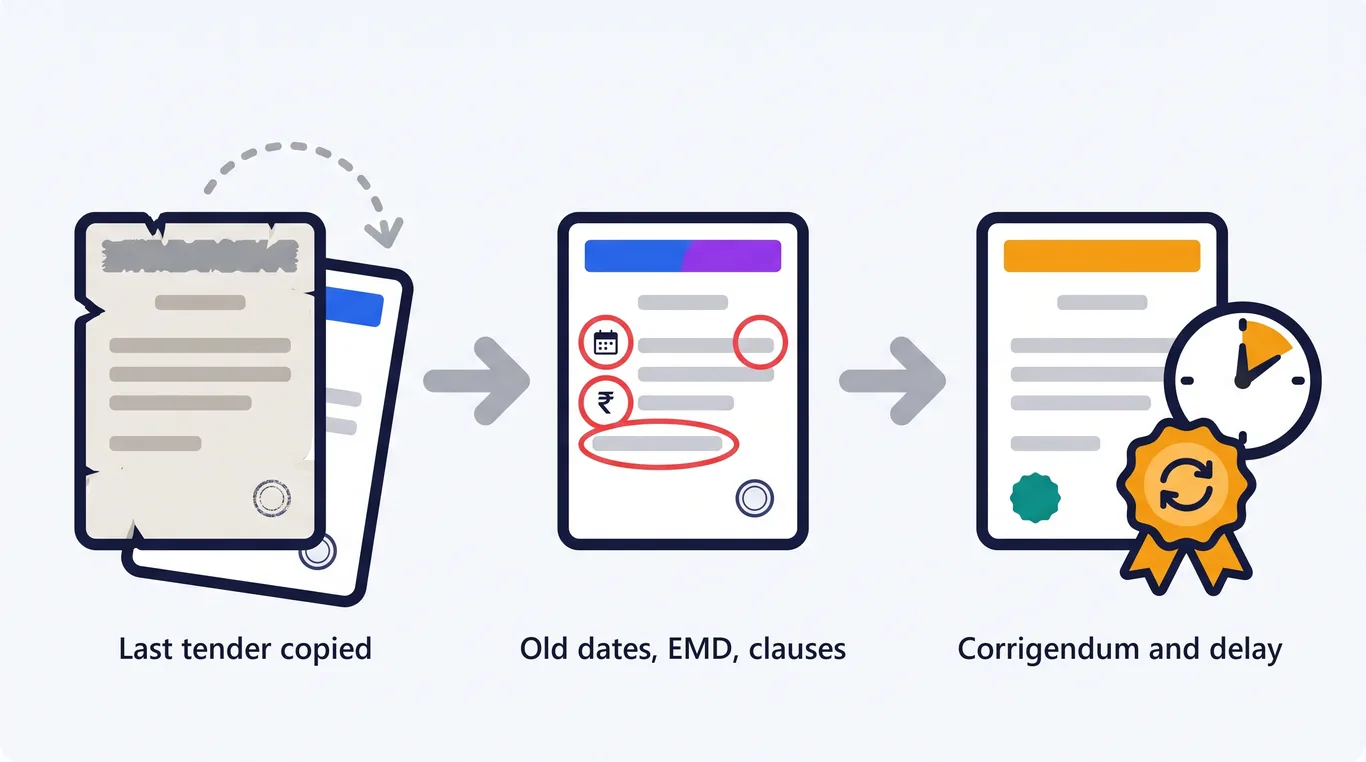
Most tenders start the same way: someone opens the last tender and starts editing.
The title changes. The scope changes. Then the dates, the EMD and the estimated value get updated by hand.
Usually one thing gets missed. An old bid date, an EMD from a smaller contract, or a clause written for a different kind of procurement.
Bidders spot it first. Then come the queries, the corrigendum and the extended deadline.
This guide explains how automated tender document assembly removes that risk, and how procurement teams draft RFPs, NITs and EOIs in their own format without starting from a copy.
Your format
Letterhead, numbering and annexures
Your clauses
Standard wording kept as written
No invented figures
A blank stays blank until you fill it
Ready to issue
Word or PDF with cover and contents
Table of Contents
- Why Copy-Paste Tender Drafting Goes Wrong
- What Is Automated Tender Document Assembly?
- What Sections Must Every Tender Contain?
- How to Draft a Tender in Your Own Format with DocuExprt
- Who Uses Automated Tender Drafting
- From Drafted Tender to Evaluated Bids
- Guardrails Before You Issue a Tender
- Key Takeaways
- Frequently Asked Questions
Why Copy-Paste Tender Drafting Goes Wrong
Copying the last tender feels safe because its format was already approved.
The risk is in what gets carried over. Every figure and date in the old document is wrong for the new one until someone changes it.
These are the errors procurement teams see most often:
| Copy-paste error | Where it shows up | What it costs |
|---|---|---|
| Old bid or pre-bid date | Notice inviting tender, schedule | Corrigendum and a reset timeline |
| EMD from a different contract | Notice, bid security clause | Bidder queries, unfair barrier to entry |
| Missing essential section | Bid validity, conflict of interest | Weak ground if a decision is challenged |
| Annexure that no longer matches | Eligibility and evaluation annexures | Bidders answer the wrong criteria |
| Edited standard clause | Legal and policy terms | Wording that legal never approved |
None of these come from a lack of skill. They come from editing a long document by hand under a deadline.
Drafting tenders by copy-paste?
See your own format drafted live on a call.
- Your letterhead and clauses
- No invented figures or dates
- Word and PDF, ready to issue
- Built-in review and editing
Loading the form… If it does not appear, open the demo page.
🔒 CERT-IN Certified🛡 ISO 27001🎟 Free trial tokens
What Is Automated Tender Document Assembly?
Automated tender document assembly drafts a new tender from your own format instead of from a copy of the last one.
You describe what you are procuring and enter the key details. The software produces a complete, correctly structured tender that you review, edit and issue.
❌ Copy the last tender
- Start: an old document full of old figures
- Sections: whatever the last tender had
- Clauses: open to accidental edits
- Checks: a reviewer re-reads every page
✅ Assemble a new tender
- Start: your format, with blanks for new figures
- Sections: every essential section included
- Clauses: standard wording protected
- Checks: sections needing attention are flagged
FROM BRIEF TO A TENDER READY TO ISSUE
You supply the brief and the figures. The format and the standard wording are already yours.
What Sections Must Every Tender Contain?
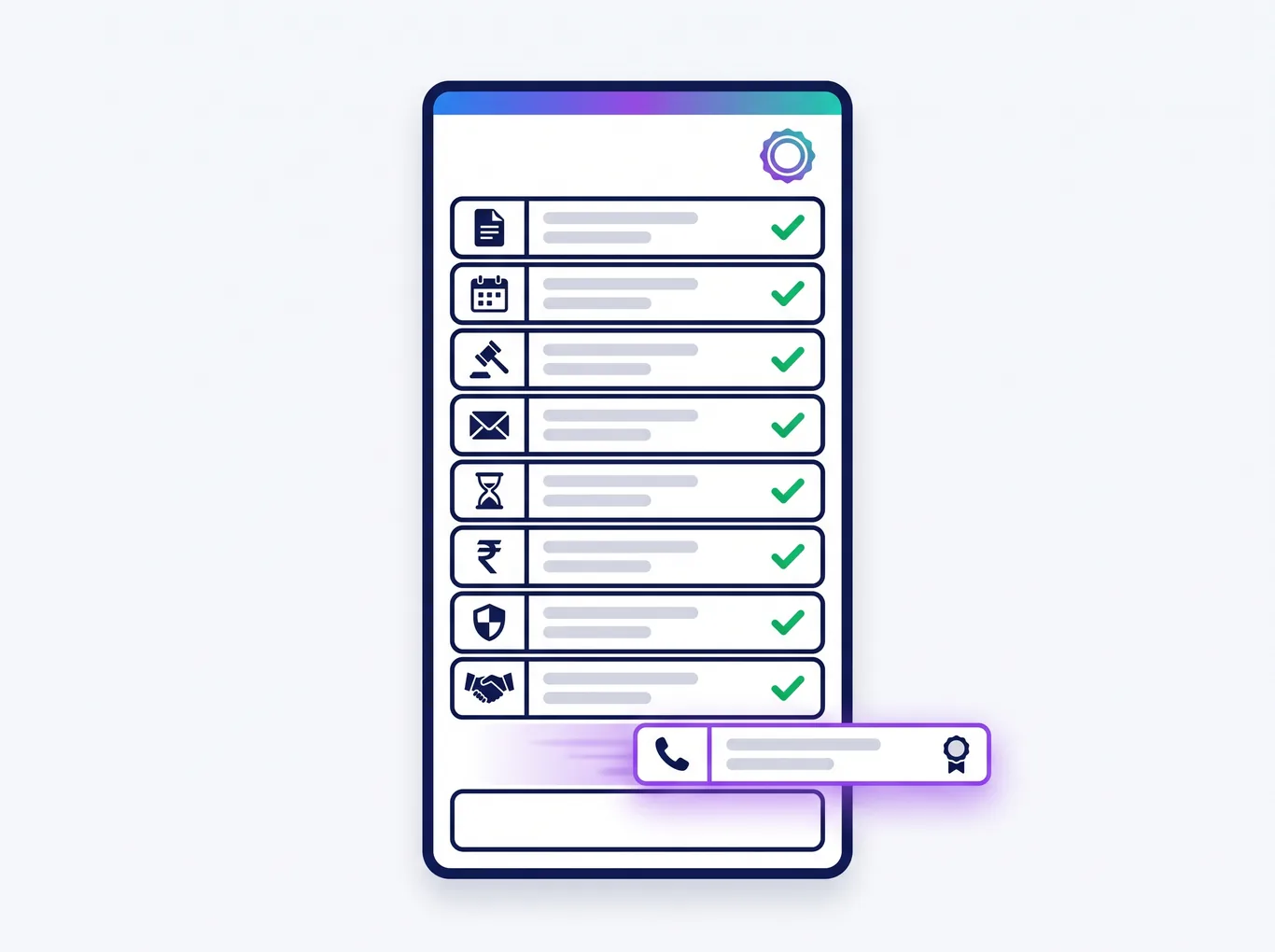
Every tender needs a core set of sections, whatever is being procured. Missing one is the most common reason a tender needs a corrigendum.
- ✅ Introduction and scope of work
- ✅ Timeline: publication, pre-bid meeting, bid submission and opening
- ✅ Mode of tendering and method of selection
- ✅ Bid submission instructions and bid validity period
- ✅ EMD, tender fee and performance security
- ✅ Eligibility criteria and evaluation method
- ✅ Rates, prices and payment terms
- ✅ Conflict of interest and integrity provisions
- ✅ Contact details for bidder queries
How to Draft a Tender in Your Own Format with DocuExprt
Your organisation's format is set up once. After that, a new tender takes four steps.
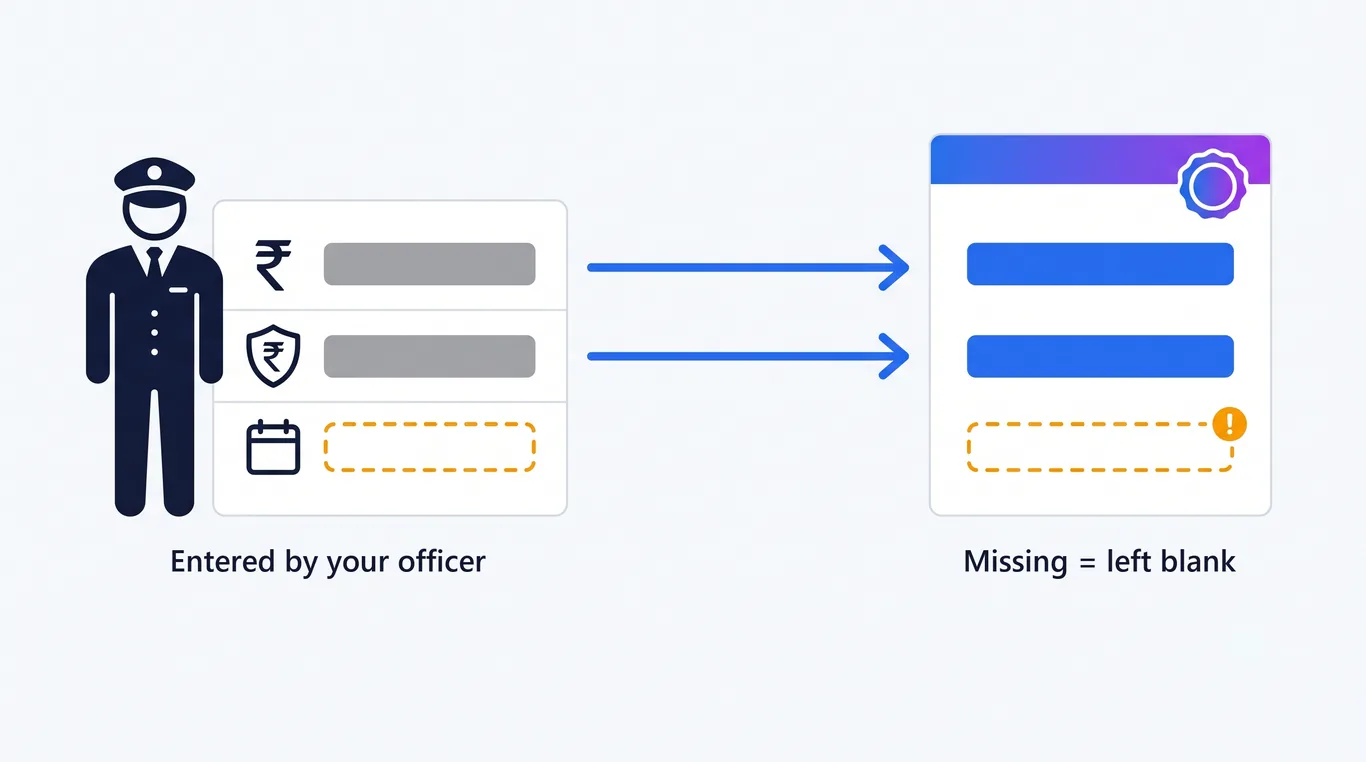
The key details are the ones every tender needs: title, estimated value, EMD, bid submission date, pre-bid date and contract duration.
You review the draft in a built-in editor, then download a finished document with cover page, contents, numbering, tables, annexures and your logo.
Built for accuracy
Figures never made up
Value, EMD and dates come only from you
Clauses protected
Fixed wording cannot change by mistake
Gaps flagged
Sections needing attention are marked
Three tender types
RFP, NIT and EOI
One platform, tender to verdict
Tell us what you procure and how often.
- Draft RFPs, NITs and EOIs
- Checklist of what bidders submit
- A clear verdict on every bidder
- Audit trail and role-based access
Or book a demo on your own files.
🔒 CERT-IN Certified🛡 ISO 27001🎟 Free trial tokens
Who Uses Automated Tender Drafting
🏛️ Government departments and PSUs
Departments that issue many tenders a year keep one approved format and stop re-checking copied documents line by line.
🎓 Universities and public institutions
Purchase committees drafting equipment, services and works tenders get the same structure every time, whoever drafts it.
🏢 Enterprise procurement teams
RFPs for vendors and service providers go out in the company's format, with legal's standard terms untouched.
🤝 Consultants issuing tenders for clients
Procurement consultants keep a separate format for each client and draft in that client's style.
From Drafted Tender to Evaluated Bids
Drafting is the first step, not the last. The same tender also decides what every bidder must submit and how each bid will be judged.
DocuExprt covers the full cycle on one platform: draft the tender, get a checklist of the documents and criteria bidders must meet, then get a clear verdict on every bidder.
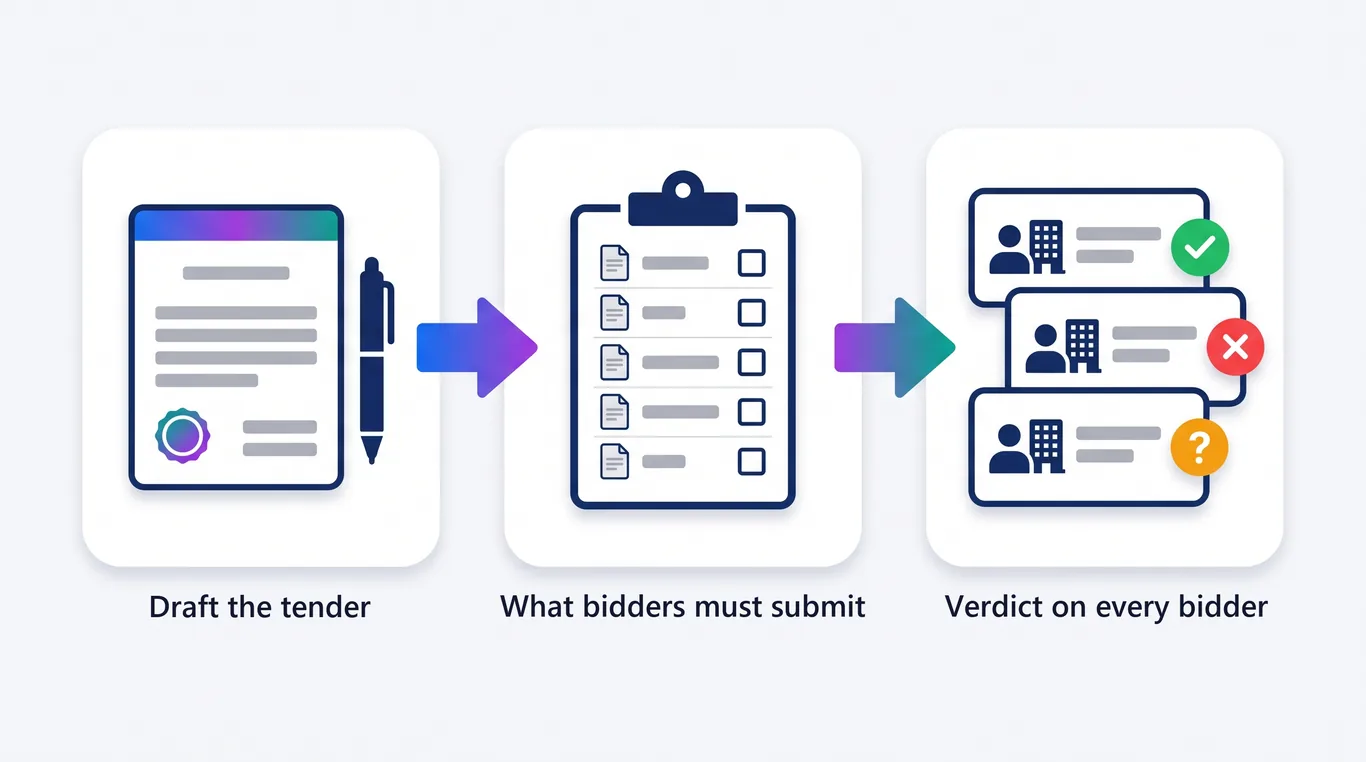
Each bidder is marked Eligible, Not eligible, or Eligible subject to clarification, with the evidence behind each decision. See AI tender document processing for the full picture, or read the tender document processing guide.
Guardrails Before You Issue a Tender
Automation removes copy-paste errors. It does not replace the people accountable for the tender.
- ✅ A named officer reviews every draft before it is issued
- ✅ Legal approves the standard clauses once, before they are set up
- ✅ Compliance with GFR 2017, CVC guidelines or your own procurement manual stays with the department
- ✅ Eligibility thresholds are set to match the contract, not copied from the last one
- ✅ Every corrigendum is issued formally and recorded

Key Takeaways
- Copying the last tender carries its old dates, figures and clauses into the new one.
- Automated tender document assembly drafts from your format, not from a copy.
- Your letterhead, numbering and standard clauses stay exactly as approved.
- Key figures such as value, EMD and dates are never invented. Blanks stay blank.
- Every essential section is included, which prevents the most common corrigenda.
- RFPs, NITs and EOIs download as finished Word or PDF documents.
- The same platform takes the tender through to a verdict on every bidder.
- A named officer still reviews and approves every tender before issue.
Frequently Asked Questions
What is automated document assembly for tenders?
It is software that drafts a complete tender in your organisation's own format from a short brief and a few key details. Your standard clauses stay as written, every essential section is included, and you download a finished Word or PDF document.
Can AI draft an RFP in our organisation's own format?
Yes. DocuExprt drafts RFPs, NITs and EOIs in your format, with your letterhead, numbering, annexures and standard clauses. Your format is set up once and reused for every new tender.
Will the AI make up figures such as the EMD or bid dates?
No. Estimated value, EMD and dates come only from the details you enter. If a figure is missing, the draft leaves a blank for you to fill instead of guessing.
Can we edit the tender before issuing it?
Yes. You review and edit the draft in a built-in editor before downloading it. Your fixed standard clauses are protected from accidental changes while you edit.
What happens after the tender is issued?
DocuExprt turns the tender into a checklist of required documents and criteria, then checks every bidder against it. Each bidder gets a clear result with the evidence behind it, ready for the evaluation committee.
Draft Your Next Tender from Your Own Format
A tender should start from your approved format, not from the last document someone happened to save.
Automated assembly keeps the format, protects the clauses and leaves the figures to you.
Bring a past tender to a demo, and we will draft a new one in your format on the call.
Draft your next tender with us
Bring a past tender. We draft a new one live.
- Your format, your clauses
- Every essential section included
- Evaluation of every bidder
- CERT-IN and ISO 27001 certified
Trusted by enterprises and government boards




Free trial tokens available for testing.