Vehicle RC & Driving License Verification API: Automate RTO Document Checks

Vehicle RC & Driving License Verification API: Automate RTO Document Checks

1.73 Lakh
Road Deaths in India (2023)
68%
Fatalities from Overspeeding
₹5K-20K
Motor Vehicle Act Penalties
2-8 sec
API Verification Response Time

India recorded 1.73 lakh road deaths in 2023, with overspeeding contributing to 68% of all traffic fatalities. Behind these numbers is a compliance crisis - unqualified drivers operating fleet vehicles, expired registrations on the road, and lapsed insurance policies that leave enterprises liable for accidents they could have prevented.

The Motor Vehicles (Amendment) Act, 2019 increased the penalty for driving without a valid license from ₹500 to ₹5,000 (first offense) and up to ₹10,000 with imprisonment for repeat offenders. For fleet operators, logistics companies, and ride-hailing platforms, every unverified driver is a legal liability and every unchecked vehicle registration is a compliance gap.

This guide covers how RTO verification APIs work, DocuExprt's vehicle RC and driving license verification capabilities, and how to build automated fleet compliance workflows that verify drivers and vehicles in seconds.

Verify RC and Licence in Seconds

VAHAN and SARATHI, checked in real time.

  • RC status, owner and fitness
  • Licence validity and class
  • Catch expired or fake documents
  • Every check timestamped
Book a Free Demo →

Or try a free tool first.

🔒 CERT-IN Certified🛡 ISO 27001🎟 Free trial tokens

Why Automated RTO Verification is Essential

Fleet Compliance Under the Motor Vehicle Act

The Motor Vehicles Act imposes strict requirements on fleet operators, logistics companies, and any enterprise that employs drivers or operates vehicles:

Requirement Penalty for Non-Compliance
Valid driving license ₹5,000 (first offense), ₹10,000 + imprisonment (repeat)
Valid vehicle registration (RC) ₹5,000 + vehicle seizure
Valid insurance ₹2,000 (first offense), ₹4,000 (subsequent)
Valid fitness certificate ₹10,000 for vehicles without valid fitness
Expired driving license ₹10,000 + license suspension
Oversized/overloaded vehicles ₹20,000 + ₹2,000 per extra tonne

For enterprises operating fleets of 50, 500, or 5,000+ vehicles, the liability compounds. A single accident involving a driver with an expired license or a vehicle with lapsed registration can result in criminal prosecution of the fleet operator, insurance claims being denied, and regulatory action against the company.

The Verification Challenge at Scale

Consider the compliance surface for a mid-size logistics company:

  • 500 vehicles - each with RC, insurance, fitness certificate, permit, and pollution certificate
  • 700 drivers - each with DL, medical fitness, and specific vehicle category endorsements
  • 5 documents per vehicle × 500 = 2,500 vehicle documents to track
  • 3 documents per driver × 700 = 2,100 driver documents to track
  • Total: 4,600+ documents, each with different expiry dates

Manual tracking through spreadsheets means missed renewals, expired documents discovered only during roadside checks, and reactive compliance - fixing problems after penalties are imposed, not before.

Insurance Verification is Critical

Insurance companies face their own verification challenges:

  • Policy issuance: Verify RC validity, vehicle ownership, and existing insurance before underwriting
  • Claims processing: Confirm the driver had a valid DL at the time of the accident, the vehicle RC was current, and the vehicle was used within its registered purpose
  • Fraud detection: Cross-reference claim details with RC data - mismatches between claimed vehicle details and actual registration records indicate potential fraud

Ride-Hailing and Gig Economy Compliance

Platforms like Ola, Uber, and other ride-hailing services onboard thousands of drivers monthly. Each driver must have:

  • Valid DL with appropriate vehicle category (LMV for cars, MCWG for bikes)
  • Valid vehicle RC matching the registered vehicle
  • No pending challans that indicate unsafe driving patterns
  • Active insurance on the vehicle

At this scale, manual verification is impossible. API-based verification is the only viable approach.

DocuExprt's RTO Verification APIs

DocuExprt provides three RTO verification endpoints that connect to the VAHAN (vehicle) and SARATHI (license) government databases.

DL-Advanced

Full driving license verification. Returns name, status, validity, vehicle categories, endorsements, issuing RTO, and photo.

2-5 sec response

RC-Challan-Details

Vehicle registration + pending challans. Returns owner, vehicle specs, insurance, fitness, permit, hypothecation, and fines.

3-8 sec response

Face Match with DL

Biometric identity verification. Compares live photo against DL photo with liveness detection. Returns match score 0-100%.

1-3 sec response

1. DL-Advanced (Driving License Full Verification)

The comprehensive driving license verification endpoint.

Input: Driving License Number + Date of Birth

Returns:

  • Full name (as on license)
  • Father's/Husband's name
  • Date of birth
  • License issue date and validity dates
  • Vehicle categories authorized (LMV, MCWG, HMV, Transport, etc.)
  • Endorsements and restrictions
  • License status: Active / Expired / Suspended / Revoked
  • Blood group
  • Issuing RTO details
  • Photo (where available from database)

Response time: 2-5 seconds

Use Cases

  • Driver onboarding for fleets: Before assigning a driver to any vehicle, verify their DL is active, not suspended, and includes the correct vehicle category. A driver with only an LMV endorsement cannot legally operate a heavy goods vehicle.
  • Ride-hailing driver verification: Confirm license validity and category for every new driver joining the platform. Set up periodic re-verification to catch licenses that expire after onboarding.
  • Insurance claims processing: Verify that the driver involved in an accident held a valid DL at the time of the incident. An invalid DL at the time of the accident can void the insurance claim entirely.
  • Age and identity verification: DL serves as an identity document - the API returns demographics that can be cross-referenced with other verification endpoints.

2. RC-Challan-Details (Vehicle Registration + Pending Challans)

The combined vehicle verification and compliance check endpoint.

Input: Vehicle Registration Number

Returns:

  • Owner name and address
  • Vehicle make, model, and color
  • Engine number and chassis number
  • Registration date and expiry
  • Vehicle class and type
  • Insurance details (company, policy number, expiry)
  • Fitness certificate validity
  • Permit details (if commercial vehicle)
  • Pending challans (fines) with details
  • Hypothecation status (if financed)
  • RTO jurisdiction

Response time: 3-8 seconds

Use Cases

  • Fleet compliance monitoring: Verify every vehicle in your fleet - RC validity, insurance status, fitness certificate expiry, and pending challans in a single API call. One call gives you the complete compliance picture.
  • Used vehicle purchase verification: Before acquiring vehicles for your fleet, verify registration details, ownership, hypothecation status (is the vehicle under a loan?), and pending challans.
  • Insurance underwriting: Pull vehicle details, insurance history, and challan records before issuing a policy. Vehicles with extensive challan histories represent higher risk.
  • Logistics transporter verification: When onboarding a transport partner, verify their fleet vehicles are registered, insured, and compliant.

3. Face Matching with DL Photo

Biometric verification to confirm driver identity.

Input: Live photo + DL Number

Returns:

  • Face match score (0-100%)
  • Liveness detection result
  • Match/No Match determination

Use Cases

  • Driver impersonation prevention: In fleet and ride-hailing contexts, confirm that the person operating the vehicle is the actual DL holder - not someone using another person's license
  • High-security fleet operations: For vehicles carrying high-value cargo, cash-in-transit, or hazardous materials, biometric verification ensures only authorized drivers are at the wheel
  • Accident investigation: Confirm the identity of the driver involved in an incident

See a Fleet Check Run Live

One driver packet, upload to verified onboarding.

  • Bulk driver and vehicle checks
  • Permit and insurance validation
  • Only exceptions reach your team
  • Plugs into your fleet system
Talk to Our Team →

Or book a demo on your own files.

🔒 CERT-IN Certified🛡 ISO 27001🎟 Free trial tokens

VAHAN & SARATHI Government Databases

DocuExprt's RTO verification APIs connect to two separate government databases, each maintained by the Ministry of Road Transport & Highways (MoRTH). Understanding which database serves which purpose helps you design the right verification workflow.

🚗

VAHAN

National Vehicle Registration Database
  • Vehicle registration (RC) details
  • Owner name and address
  • Vehicle make, model, color
  • Engine & chassis numbers
  • Insurance policy details
  • Fitness certificate status
  • Permit and tax information
  • Hypothecation (loan) status
  • Pending challans (fines)
API Endpoint: RC-Challan-Details
Coverage: 35+ crore registered vehicles across all RTOs
📋

SARATHI

National Driving License Database
  • Driving license holder details
  • License validity dates
  • Vehicle category endorsements
  • License status (Active/Expired/Suspended)
  • Endorsements and restrictions
  • Issuing RTO details
  • Photo of license holder
  • Blood group
  • Date of birth verification
API Endpoints: DL-Advanced + Face Match
Coverage: 25+ crore driving licenses issued across India

Industry Workflows

Fleet Management - Driver Onboarding & Ongoing Compliance

The Challenge

A fleet operator with 500+ vehicles and 700+ drivers must maintain compliance for every driver-vehicle combination. DL expiries, RC renewals, insurance lapses, and fitness certificate deadlines create a constant compliance treadmill.

DocuExprt Solution:
  1. Driver onboarding: New driver submits DL number and DOB → DL-Advanced API verifies license status, category, and validity → face match confirms identity → driver approved or flagged
  2. Vehicle onboarding: Vehicle RC number entered → RC-Challan-Details returns full vehicle profile including insurance, fitness, and pending challans → compliance gaps identified immediately
  3. Ongoing monitoring: DocuExprt's trigger system sends automated alerts 30/15/7 days before DL expiry, RC expiry, insurance lapse, and fitness certificate expiry. Monthly bulk re-verification catches any mid-cycle status changes. Challan monitoring flags drivers who accumulate traffic violations.
Result: Zero compliance surprises. Every driver and vehicle verified before deployment. Automated expiry alerts prevent lapses. Fleet manager gets a compliance dashboard instead of a spreadsheet.

Insurance - Vehicle Verification for Policy Issuance & Claims

The Challenge

An insurance company processing 10,000+ motor policies monthly needs to verify vehicle details and driver credentials at two critical points: policy issuance and claims.

Pre-Policy Verification:
  1. Applicant submits vehicle registration number
  2. RC-Challan-Details returns vehicle details, ownership, existing insurance, and fitness status
  3. Challan history informs risk assessment - vehicles with multiple challans may warrant higher premiums
  4. Cross-reference owner details with applicant identity for fraud prevention
Claims Verification:
  1. Claimant submits claim with accident details
  2. RC verification confirms vehicle registration was valid at time of accident
  3. DL verification confirms the driver had a valid license with the correct vehicle category
  4. Mismatches (expired DL, wrong vehicle category, lapsed RC) flagged as grounds for claim investigation
  5. Face match can confirm driver identity if identity is disputed
Result: Underwriting decisions informed by real-time vehicle data. Fraudulent claims caught at the verification stage before payout. Claims processing accelerated for legitimate claims where all verification checks pass automatically.

Logistics - Transporter KYC and Vehicle Compliance

The Challenge

A logistics company onboarding transport partners needs to verify that the partner's fleet is registered, insured, and compliant. The partner may operate 20-100 vehicles across multiple states with different RTO jurisdictions.

DocuExprt Solution:
  1. Transport partner submits vehicle registration numbers for entire fleet (CSV bulk upload)
  2. DocuExprt runs RC-Challan-Details on every vehicle in parallel
  3. Results show compliance status for each vehicle - valid RC, active insurance, pending challans
  4. Non-compliant vehicles flagged with specific issues (expired insurance, pending heavy challans, lapsed fitness certificate)
  5. Transport partner given a compliance score based on fleet-wide verification results
  6. Ongoing monitoring triggers alerts when any vehicle's compliance status changes
Result: Transport partner onboarding based on verified fleet compliance, not document submissions. Route assignments consider compliance status. Regulatory risk distributed based on data, not trust.

Building an RTO Verification Workflow in DocuExprt

Fleet Compliance Workflow Architecture

DocuExprt's visual no-code workflow builder lets you connect verification APIs, conditional logic, and automated triggers into a complete compliance pipeline. Here is the architecture:

Step 1 • Input
DL No. + DOB
RC No. + Photo
Step 2 • Processing
DL-Advanced
RC-Challan
Face Match
Step 3 • Conditional
DL Active?
RC Valid?
Face Match ≥90%?
Step 4 • Output
Compliance Report
Expiry Calendar
Risk Score

Setup Steps

Step 1: Input Node

  • Individual verification: Driver or fleet manager enters DL number + DOB and vehicle RC number
  • Bulk upload: CSV with all fleet vehicles and driver details for batch verification
  • API trigger: Webhook from fleet management system (e.g., when a new driver is assigned to a vehicle)

Step 2: Processing Nodes (Parallel)

  1. DL-Advanced - Returns license status, validity, vehicle categories, endorsements
  2. RC-Challan-Details - Returns vehicle registration, insurance, fitness, and pending challans
  3. Face Match (optional) - Compares driver's live photo against DL photo

Step 3: Conditional Logic

Check Condition Action
DL Status Active ✓ Continue
DL Status Expired/Suspended/Revoked ✗ BLOCK - cannot drive
DL Vehicle Category Matches assigned vehicle ✓ Continue
DL Vehicle Category Mismatch ✗ BLOCK - wrong category
RC Valid Yes ✓ Continue
RC Expired Yes ⚠ FLAG - vehicle cannot operate
Insurance Active Yes ✓ Continue
Insurance Expired Yes ✗ BLOCK - no coverage
Pending Challans < 3 minor ✓ Continue
Pending Challans ≥ 3 or any major ⚠ FLAG - risk review
Face Match ≥ 90% ✓ Continue
Face Match < 90% ✗ BLOCK - identity mismatch

Step 4: Output and Triggers

  • Compliance report per driver-vehicle combination
  • Expiry calendar with automated alerts at 30/15/7 days before expiry
  • Fleet compliance dashboard data export
  • Webhook notifications to fleet management system for real-time status updates

Key Takeaways

  1. India recorded 1.73 lakh road deaths in 2023 - fleet compliance is a safety mandate, not just regulatory paperwork
  2. Motor Vehicle Act penalties are steep - ₹5,000-₹10,000 for DL violations, ₹10,000 for fitness certificate violations, plus vehicle seizure and imprisonment
  3. DocuExprt provides 3 RTO verification APIs - DL-Advanced (full license check), RC-Challan-Details (vehicle + fines), and Face Match (biometric identity)
  4. Single RC API call returns everything - owner, vehicle details, registration validity, insurance status, fitness certificate, pending challans, and hypothecation
  5. DL vehicle category verification prevents illegal vehicle assignment - a critical compliance requirement for fleet operators
  6. Challan history informs risk assessment - for insurance underwriting and fleet management decisions
  7. Automated expiry alerts through DocuExprt's trigger system prevent compliance lapses before they happen
  8. Bulk verification handles fleets of 500+ vehicles and drivers in a single batch operation

Run It on Your Own Fleet Data

Bring one driver batch. We verify it on the call.

  • Fleet onboarding workflows mapped
  • VAHAN and SARATHI in real time
  • Inspection-ready audit trails
  • Cloud, private cloud or on-premise

Trusted by enterprises and government boards

Roche Products (India) Pvt. Ltd. logo Elbrit Life Sciences Pvt. Ltd. logo Haryana Knowledge Corporation Limited (HKCL) logo Maharashtra Council of Agricultural Education and Research (MCAER) logo State Board of Technical Education, Bihar (Patna) logo SVKM's NMIMS Deemed-to-be University logo
CERT-IN CertifiedISO/IEC 27001:2013Data stays in India

Free trial tokens available for testing.

Enter a DL number. Enter an RC number. See the complete compliance picture.

Frequently Asked Questions

1. How do I verify a driving license online via API?

DocuExprt's DL-Advanced API takes a driving license number and date of birth as input. It connects to the SARATHI government database and returns the complete license profile - holder name, license status (Active/Expired/Suspended/Revoked), validity dates, authorized vehicle categories, endorsements, restrictions, and issuing RTO. The verification completes in 2-5 seconds. For fleet operators, this means you can verify a driver's credentials in real time before vehicle assignment.

2. Can I check pending challans on a vehicle via API?

Yes. DocuExprt's RC-Challan-Details API returns pending challans (traffic fines) along with the full vehicle registration profile in a single API call. The challan data includes the nature of the violation, date, and amount. This is valuable for fleet operators assessing driver risk, insurance companies evaluating vehicle risk during underwriting, and logistics companies conducting transporter due diligence.

3. How accurate is RTO document verification?

DocuExprt's RTO verification APIs connect directly to the VAHAN (vehicle registration) and SARATHI (driving license) government databases maintained by the Ministry of Road Transport & Highways. The data returned is the same data available to RTOs and traffic police. Accuracy is equivalent to the government record itself. Response times are 2-8 seconds depending on the endpoint and database load.

4. Can I verify vehicle RC and DL in bulk for my fleet?

Yes. DocuExprt supports bulk verification through CSV upload - upload a spreadsheet with all vehicle registration numbers and driver license numbers, and receive a consolidated compliance report for the entire fleet. This is used for quarterly fleet audits, new fleet onboarding, and annual compliance reviews. API-based batch processing is also available for programmatic integration with fleet management systems.

5. How does face matching with DL photo work?

DocuExprt's Face Match API compares a live photo (taken via smartphone or webcam) against the photo on the driving license record retrieved from the SARATHI database. AI-powered liveness detection ensures the live photo is from a real person (not a printout or screen image). The API returns a match score (0-100%) and a Match/No Match determination. This prevents driver impersonation in fleet operations, ride-hailing platforms, and high-security transport scenarios.

How Bank Account Verification APIs Work

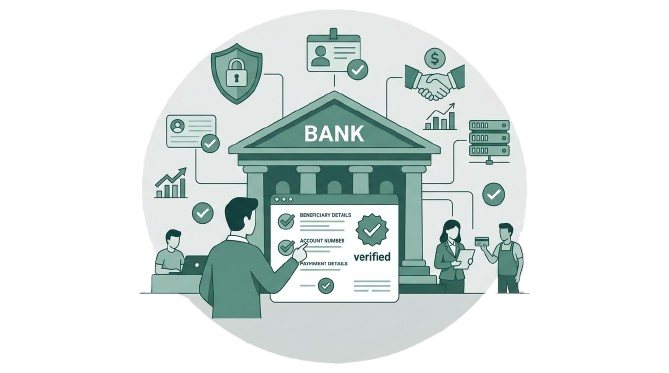
Bank account verification APIs connect your financial systems directly to banking infrastructure, validating account details in real time. There are two primary methods:

Penny Drop Verification

A small amount (typically ₹1) is deposited into the bank account. The banking system returns the account holder's name as registered with the bank. This provides the most authoritative name confirmation because it comes from the actual bank record.

Advantages:

  • Returns the exact account holder name from bank records
  • Confirms the account is active and can receive funds
  • Validates IFSC routing
  • Highest confidence level

Considerations:

  • Takes 5-30 seconds for the penny to process
  • The ₹1 deposit needs to be accounted for
  • Some banks have different response times

Pennyless / Database Verification

Validates account details against banking databases without transferring any money. Faster than penny drop but may not always return the full account holder name.

Advantages:

  • Near-instant response (under 2 seconds)
  • No money transfer involved
  • Higher throughput for bulk verification

Considerations:

  • Name matching may be less comprehensive than penny drop
  • Depends on database coverage

Penny Drop vs. Pennyless Comparison

Penny Drop Verification

  • Response time: 5-30 seconds
  • Name returned: Full name from bank records
  • Activity confirmation: Confirms account is active
  • Cost: Higher (transaction involved)
  • Best for: High-value payments, insurance claims
  • Confidence: Highest — physically tests the account
VS

Pennyless / Database Verification

  • Response time: 1-3 seconds
  • Name returned: Partial or full name (varies)
  • Activity confirmation: Confirms account exists
  • Cost: Lower (no transaction)
  • Best for: Bulk onboarding, quick checks
  • Confidence: Good — database lookup only
Parameter Penny Drop Pennyless
Response time 5-30 seconds 1-3 seconds
Account name returned Full name from bank records Partial or full name (varies)
Account activity confirmation Confirms account is active Confirms account exists
Cost Higher (transaction involved) Lower (no transaction)
Best for High-value payments, claims Bulk onboarding, quick checks

DocuExprt's Banking Verification APIs

DocuExprt provides four banking verification endpoints that cover account validation, routing verification, UPI identity checks, and statement analysis.

1. Bank Account Verification API

Validates account holder name, account status (Active/Inactive/Closed), account type (Savings/Current/NRE/NRO), IFSC validation, and name match confidence score. Uses penny drop via IMPS/NEFT.

2. IFSC Verification API

Validates bank name, branch, MICR code, full branch address, RTGS/NEFT/IMPS availability, and contact info. Catches routing errors from bank mergers and branch closures before they cause failed payments.

3. UPI Verification API

Accepts a UPI ID (Virtual Payment Address) and returns linked account holder name, verification status (Valid/Invalid), and bank handle identification. Essential for P2M and enterprise UPI payments.

4. Bank Statement Analysis API

AI-powered extraction from any bank's PDF statements in 20+ languages. Returns structured transactions, income analysis, EMI detection, spending patterns, and cash flow analysis for loan underwriting.

1. Bank Account Verification API

The core endpoint for beneficiary validation.

Input: Account Number + IFSC Code
Returns:

  • Account holder name (as registered with the bank)
  • Account status: Active / Inactive / Closed
  • Account type: Savings / Current / NRE / NRO
  • IFSC validation and bank details
  • Name match confidence score when cross-referenced with expected beneficiary name

How it works: DocuExprt performs a penny drop verification, depositing ₹1 into the account via IMPS/NEFT. The banking system processes the transaction and returns the registered account holder name. DocuExprt then runs a name matching algorithm to compare the returned name against the expected beneficiary name from your records.

Use cases:

  • Vendor payments: Verify every vendor bank account before first payment and periodically thereafter
  • Payroll disbursement: Validate employee bank accounts during onboarding, catch errors before salary day
  • Insurance claims: Confirm the claimant's bank account matches the policyholder's identity
  • Loan disbursement: Verify the borrower's account before releasing funds

2. IFSC Verification API

Validate payment routing information before initiating transfers.

Input: IFSC Code
Returns:

  • Bank name and branch name
  • MICR code
  • Full branch address
  • RTGS / NEFT / IMPS availability
  • Branch contact information

Use case: Before processing bulk payments, validate that every IFSC code in your payment file is correct and current. Bank mergers, branch closures, and IFSC changes happen regularly — an outdated IFSC means bounced payments, delays, and reconciliation headaches. This API catches routing errors before they become failed transactions.

3. UPI Verification API

Verify UPI ID ownership in India's dominant payment ecosystem.

Input: UPI ID (Virtual Payment Address — e.g., name@bankhandle)
Returns:

  • Linked account holder name
  • Verification status (Valid / Invalid)
  • Bank handle identification

Use case: With UPI processing 228.3 billion transactions in 2025 and P2M (person-to-merchant) transactions at 63% of volume, UPI IDs are increasingly used for business payments. Before sending funds to a UPI ID — whether for freelancer payments, small vendor settlements, or refunds — verify that the UPI ID belongs to the expected recipient. This prevents payment fraud where attackers substitute their UPI ID for the intended beneficiary's.

4. Bank Statement Analysis API

AI-powered extraction and analysis of bank statements for financial due diligence.

Input: Bank statement PDF (any bank, any format)
Returns:

  • Structured transaction data (date, description, debit, credit, balance)
  • Income analysis (regular salary credits, business income patterns)
  • Spending pattern categorization
  • EMI detection and loan obligation identification
  • Account summary (average balance, peak balance, lowest balance)
  • Cash flow analysis

Use case: Critical for loan underwriting and credit assessment. DocuExprt's AI extracts structured data from bank statements in any format — PDF, scanned image, or even photographed statements in 20+ languages. The extracted data feeds directly into credit models, replacing the manual process of reading through months of bank statements page by page.

See a Payment Check Run Live

One beneficiary, upload to verified payout.

  • Wrong accounts caught pre-payment
  • Bulk vendor onboarding checks
  • Only mismatches reach your team
  • Plugs into your existing ERP
Talk to Our Team →

Or book a demo on your own files.

🔒 CERT-IN Certified🛡 ISO 27001🎟 Free trial tokens

Building a Payment Verification Workflow

DocuExprt's visual workflow builder lets you create an automated payment verification pipeline that checks every outgoing payment before it clears.

Payment Verification Workflow Architecture

Step 1
Input Node
Invoice PDF, Payment file, API trigger, Manual entry
Step 2
AI Extraction
Extract bank info from documents (20+ languages)
Step 3
API Verification
Bank Account + IFSC + UPI verification
Step 4
Conditional Logic
Name match, status check, duplicate detection
Step 5
Output & Alerts
Approved, flagged, audit trail, email alerts

Step-by-Step Setup

Step 1: Configure Input Node

Set up the Input node to capture bank details from multiple sources:

  • Invoice upload: DocuExprt's AI automatically extracts bank account number, IFSC code, and beneficiary name from invoice PDFs — even handwritten or scanned invoices in regional languages
  • Payment file upload: Process bulk payment files (CSV/Excel) containing hundreds of beneficiary records
  • API trigger: Receive payment verification requests from your ERP or treasury management system
  • Manual entry: Web form for one-off verification requests from finance team members

Step 2: Configure Processing Nodes

Three parallel processing nodes handle the verification:

  1. AI Document Extraction — If input is an invoice or document, DocuExprt extracts the bank account number, IFSC code, beneficiary name, and payment amount automatically. Works with 20+ languages.
  2. Bank Account Verification API — Performs penny drop verification on the extracted account details. Returns account holder name and status.
  3. IFSC Verification API — Validates that the IFSC code is correct, current, and maps to the expected bank and branch.

Step 3: Configure Conditional Logic

The Conditional node applies three layers of verification:

  • Name Match Check: Compare the beneficiary name from the invoice/payment file against the account holder name returned by the bank. Match threshold: ≥90% = auto-approve, 70-89% = manual review, <70% = reject.
  • Account Status Check: If the account is inactive, closed, or unresponsive, auto-reject regardless of name match.
  • Duplicate Payment Check: Flag if the same beneficiary + amount combination was processed within the last 30 days — catches duplicate invoice fraud.

Step 4: Configure Output and Alerts

  • Approved payments: Push verified payment batch back to your ERP/treasury system for execution
  • Flagged payments: Route to finance team with specific reason codes (name mismatch details, inactive account, duplicate flag)
  • Audit trail: Complete log of every verification — input data, API responses, name match scores, approval/rejection decisions with timestamps
  • Email alerts: Immediate notification for high-value payment flags or bulk rejection patterns
AI Document Verification in Finance Sector

Industry Use Cases

Insurance Claims Disbursement

The challenge: Insurance companies process thousands of claims payouts monthly. Fraudulent claims with manipulated bank accounts, or legitimate claims with incorrectly entered bank details, result in misdirected payments that are difficult to recover.

DocuExprt solution:

  1. Claim approved → claimant bank details extracted from claim form
  2. Bank Account Verification API confirms account status and holder name
  3. Name matching cross-checks account holder against policyholder records
  4. Mismatch (e.g., claim submitted by policyholder but bank account belongs to a third party) triggers manual review
  5. Verified claims auto-processed for payment

Result: Payment fraud detected before disbursement, not after. Claims processing speed increases as 85%+ of payments clear automated verification without human intervention. Complete audit trail for IRDAI compliance.

Payroll Processing

The challenge: Enterprises with 1,000+ employees add 50-100 new joiners per month. Incorrect bank account details mean failed salary transfers, employee dissatisfaction, and manual reconciliation.

DocuExprt solution:

  1. New joiner submits bank details during onboarding (account number + IFSC + cancelled cheque)
  2. DocuExprt extracts details from the cancelled cheque using AI
  3. Bank Account Verification API validates the account and returns the registered name
  4. Name matching confirms the employee name matches the account holder
  5. Verified accounts are pushed to the HRMS payroll module
  6. Quarterly re-verification batch runs across all active employee accounts

Result: Zero failed salary transfers due to incorrect bank details. New joiner bank verification drops from 2-3 days (waiting for HR to manually verify) to under 30 seconds. Payroll team processes salary runs with confidence.

Lending & NBFC Operations

The challenge: NBFCs must verify borrower bank accounts before loan disbursement (RBI requirement). They also need bank statement analysis for credit underwriting. Manual processing of each application takes 3-5 days.

DocuExprt solution:

  1. Borrower submits bank account details + 6 months of bank statements
  2. Bank Account Verification API confirms account ownership
  3. Bank Statement Analysis API extracts and structures all transaction data
  4. AI analyzes income patterns, EMI obligations, spending behavior, and cash flow
  5. Credit report auto-generated with risk indicators
  6. Disbursement proceeds to verified account

Result: Loan processing time drops from 3-5 days to under 1 hour. Credit underwriting is data-driven instead of manual statement reading. Disbursement goes to verified accounts only, preventing misdirected funds.

Vendor Payment Processing

The challenge: Enterprises processing 200+ vendor payments monthly face ongoing risk of payment fraud — invoice manipulation, vendor account changes, and duplicate invoice submissions.

DocuExprt solution:

  1. Invoice received → AI extracts bank details and payment amount
  2. Bank account verification confirms the account matches the registered vendor
  3. If vendor's bank details have changed since last payment → flag for manual confirmation
  4. Duplicate invoice detection catches resubmitted or inflated invoices
  5. Verified payments batch-processed for execution

Result: Payment fraud eliminated at the verification stage. Finance teams process vendor payments 3x faster with automated verification handling the routine checks. Change-in-bank-details fraud — one of the most common B2B payment scams — is caught automatically.

Key Takeaways

  1. UPI fraud hit 6.32 lakh incidents in FY 2024-25 — an 85% increase, and only growing as digital payment volumes surge past 228 billion annual transactions
  2. Penny drop verification deposits ₹1 to confirm account holder name and account status — the most authoritative form of bank account verification
  3. DocuExprt provides 4 banking verification APIs — Bank Account, IFSC, UPI, and Bank Statement Analysis
  4. Name matching catches beneficiary fraud — automated comparison between expected beneficiary and actual account holder, with configurable confidence thresholds
  5. Bank Statement Analysis uses AI to extract structured financial data from any bank's statement format in 20+ languages — critical for loan underwriting
  6. The visual workflow builder creates end-to-end payment verification with duplicate detection, name matching, and auto-routing
  7. Vendor payment fraud prevention — automated detection of changed bank details, duplicate invoices, and beneficiary mismatches
  8. Complete audit trails for RBI compliance and internal controls

Run It on Your Own Payout File

Bring a real vendor list. We verify it on the call.

  • Payout and vendor workflows mapped
  • 30+ government databases, real time
  • Inspection-ready audit trails
  • Cloud, private cloud or on-premise

Trusted by enterprises and government boards

Roche Products (India) Pvt. Ltd. logo Elbrit Life Sciences Pvt. Ltd. logo Haryana Knowledge Corporation Limited (HKCL) logo Maharashtra Council of Agricultural Education and Research (MCAER) logo State Board of Technical Education, Bihar (Patna) logo SVKM's NMIMS Deemed-to-be University logo
CERT-IN CertifiedISO/IEC 27001:2013Data stays in India

Free trial tokens available for testing.

Frequently Asked Questions

1. How does bank account verification work via API?

Bank account verification via API works through two methods. Penny drop verification deposits ₹1 into the target account via IMPS/NEFT. The banking system processes the transaction and returns the registered account holder name, confirming the account is active and can receive funds. Pennyless verification queries banking databases to validate account details without transferring money - faster but may return less complete name information. DocuExprt supports both methods, with penny drop as the default for highest confidence.

2. What is penny drop verification vs database verification?

Penny drop verification physically deposits ₹1 into the bank account, triggering the banking system to return the registered account holder name. This confirms both that the account exists and that it is active and able to receive funds. Database (pennyless) verification checks account details against banking records without any money transfer. Penny drop provides higher confidence because it confirms active transaction capability, while database verification is faster and better suited for bulk onboarding scenarios where speed matters more than absolute name accuracy.

3. Can I verify UPI IDs before making payments?

Yes. DocuExprt's UPI Verification API accepts a UPI ID (Virtual Payment Address) and returns the linked account holder name and verification status. This is essential for enterprise use cases like freelancer payments, vendor settlements via UPI, and customer refunds. With UPI processing 228.3 billion transactions in 2025, UPI IDs are increasingly used for business payments - and verifying ownership before sending funds prevents payment fraud where attackers substitute their UPI ID for the intended recipient's.

4. How does bank statement analysis help in loan underwriting?

DocuExprt's Bank Statement Analysis API uses AI to extract structured data from bank statement PDFs in any format and language. It identifies regular salary credits (income verification), EMI deductions (existing loan obligations), spending patterns, average and minimum balances, and cash flow trends. This data feeds directly into credit models, replacing the manual process of analysts reading through months of statements. For NBFCs processing hundreds of loan applications, this reduces underwriting time from days to minutes while improving data accuracy and consistency.

5. Is bank account verification compliant with RBI guidelines?

Yes. RBI guidelines require financial institutions to verify beneficiary bank accounts before loan disbursement and mandate Know Your Customer (KYC) processes that include bank account validation. The RBI has also introduced MuleHunter.AI for mule account detection, signaling regulatory emphasis on payment verification. DocuExprt's bank account verification uses standard banking rails (IMPS/NEFT) for penny drop verification and maintains complete audit trails of every verification - timestamp, input data, bank response, and decision outcome - satisfying regulatory documentation requirements.

Employment Verification APIs for HR and BGV Teams

Employment Verification APIs for HR and BGV Teams

Employment verification for HR and BGV teams

Employment verification APIs help HR teams, staffing companies and background verification providers compare a candidate's declared work history with records returned by supported verification sources. DocuExprt brings these checks into a configurable workflow, so your team can review discrepancies and pass results to its existing systems.

Four stages: collect candidate records and consent, check supported sources, compare details, and review results.
Collect candidate records and consent, check supported sources, compare details, then send results for review. View full-size illustration.

Use this guide to understand the available checks, the information needed to run them, and where a reviewer should step in. For the broader solution, explore background verification automation or HR document verification and onboarding.

HR operations

Compare declared employment with available source records and organize exceptions for review.

Staffing and BGV teams

Build a repeatable verification process across candidate batches and client requirements.

Integration teams

Connect verification steps to your HRMS or ATS using the supported API and workflow options.

Choose the check that fits your workflow

Verification stepBusiness questionReview before use
UAN employment historyHow do available employment records compare with the candidate's declared history?Confirm source coverage, returned fields and gaps for the candidate.
PAN employment statusIs an employment-status check available for this case?Confirm the supported source, inputs and meaning of the returned status.
Aadhaar-to-UAN and UAN checksCan the supported lookup or validation help prepare the employment check?Confirm required authorization, input requirements and source availability.
Name matchingDo names across the submitted and returned records align?Review spelling variations and uncertain matches rather than rejecting automatically.
Matching records: record the evidence. Different dates: ask a reviewer to reconcile. Missing records: use another verification method.
Illustrative examples: retain matching evidence, reconcile date differences, and seek another verification method when a record is missing. View full-size illustration.

What your team reviews

Illustrative review outcome — fictional example, not an API response or a hiring decision.

ItemExample outcomeNext step
Employer recordA returned employer record matches the declared organization.Record the source and the check timestamp.
Employment datesThe returned dates differ from the dates supplied by the candidate.Ask the reviewer to reconcile the difference with the candidate.
Missing recordNo record is returned for one declared role.Request another verification method; a missing record alone does not prove false information.

Coverage and exception handling

Source availability, candidate records and enabled checks affect what can be returned. Do not assume complete work-history coverage for every candidate. Plan for missing records, delayed updates, name differences and temporary source failures. Overlapping dates are a review signal, not proof of misconduct.

Confirm the required authorization and candidate-consent process before running checks. Route uncertain results to a designated reviewer; retain the evidence needed for your organization's process. For deployment and integration choices, see the enterprise document verification platform.

Planning an integration? Bring your expected monthly verification volume, required checks and HRMS/ATS details. Request an employment verification demo to review coverage, a sample result and the integration approach. Use synthetic or appropriately authorized sample data.

Review Your Employment Verification Workflow

Explore supported UAN and PAN checks for your HR or BGV process.

  • Review available source records
  • Flag discrepancies for review
  • Plan for missing records
  • Discuss your reporting needs
Book a Free Demo →

Or try a free tool first.

🔒 CERT-IN Certified🛡 ISO 27001🎟 Free trial tokens

Why Employment History Verification Matters for Enterprise HR

The Cost of Getting It Wrong

A single bad hire at the mid-management level costs organizations between $50,000 and $240,000 when you factor in recruitment costs, onboarding, lost productivity, severance, and rehiring. For senior roles, that figure can exceed $500,000.

But the real risk is not just financial. In regulated industries like banking, insurance, healthcare, government, an unverified hire can trigger compliance violations, regulatory penalties, and reputational damage that far exceeds the hiring cost.

Resume Fraud Has Reached Crisis Levels

The numbers tell the story:

Metric Data Point
Candidates who misrepresent resumes 64.2% have lied at least once
Fraudulent candidates who receive offers 63% get offered the job
Employers who never discover the fraud 96% of lying candidates go undetected
HR teams with strong fraud-prevention controls Only 31%
Candidates willing to use AI to fabricate resumes 73.4% would consider it
Recruiters who have spotted candidate deception 91% (Greenhouse 2025 study)
Annual cost of resume fraud (US alone) $600 billion

The gap between detection capability and fraud sophistication is widening. Nearly two-thirds (62%) of hiring professionals believe candidates are now better at faking identities with AI help than HR teams are at detecting deception.

Manual Verification Is Broken

Traditional employment verification methods have fundamental limitations:

  • Phone-based reference checks take 3-7 business days per candidate and depend on former employers answering
  • Letter-based verification can take 2-4 weeks and is easily forged
  • Manual EPFO checks require candidates to produce physical documents that can be fabricated
  • No real-time cross-verification between claimed experience and actual records

For organizations processing 50+ hires per month, manual verification becomes a bottleneck that either slows hiring or gets skipped entirely creating the compliance gaps that regulators exploit.

Regulatory Compliance Is Non-Negotiable

In India's BFSI sector, RBI and SEBI mandate robust employee screening for anyone in positions of financial responsibility or with access to sensitive customer data. Key requirements include:

  • Fit and Proper criteria for directors and key functionaries at banks and NBFCs
  • KYC staff screening — employees handling KYC must themselves be verified
  • Third-party vendor verification for anyone accessing customer data
  • Audit trail maintenance — regulatory audits sample random employee records, and missing verification documentation triggers serious compliance findings
  • DPDP Act compliance — explicit consent, purpose limitation, and data minimization for all candidate data processing

How Employment Verification APIs Work

Employment verification APIs connect your HR systems directly to government databases, returning verified employment records in real time. Here is the core architecture:

Step 1
Candidate Data Input
Step 2
API Request
Step 3
Gov Database Query
Step 4
Verified Response
Step 5
Cross-Verification
Step 6
Final Report

The Three Government Database Layers

Layer 1: EPFO / UAN
Database

Complete list of employers, dates of joining and leaving, member IDs, PF contribution history, and exit reasons for every formal-sector employee in India.

Layer 2: Income Tax / PAN Database

Form 26AS data showing TDS deductions by employers, current employment status, and income declarations that cross-reference with claimed salary history.

Layer 3: UIDAI / Aadhaar Database

UAN lookup when candidates don't know their UAN number, identity confirmation through demographic matching, and biometric verification for high-security roles.

API vs. Manual Verification Comparison

Parameter Manual Verification API-Based Verification
Turnaround time 3-14 business days 2-30 seconds
Accuracy Depends on reference quality Direct government database match
Scalability 5-10 verifications/day/person Thousands per hour
Fraud detection Limited to obvious inconsistencies Cross-database anomaly detection
Moonlighting detection Nearly impossible Dual PF contributions flagged instantly
Cost per verification Rs. 500 - Rs. 2,000 Rs. 10 - Rs. 50
Audit trail Paper-based, inconsistent Automated, timestamped, complete

DocuExprt's Employment Verification APIs

DocuExprt provides five employment verification API endpoints that cover the full spectrum of employment history checks:

1. UAN-To-Employment-History API

The flagship employment verification endpoint. Input a UAN number and receive the complete EPFO employment history.

Input: UAN Number
Returns:

  • Employee name (as registered with EPFO)
  • All employer names and establishment IDs
  • Date of joining and date of exit for each employer
  • Member IDs across employers
  • PF filing status and contribution history
  • Exit reason codes

Primary use case: Validate a candidate's claimed work experience against official EPFO records. If a candidate claims 5 years at Company X but EPFO records show only 2 years, the discrepancy is flagged automatically.

2. PAN-To-Employment-Status API

Input a PAN number and verify current employment status through income tax records.

Input: PAN Number
Returns:

  • Current employment status
  • TDS deduction history (Form 26AS data)
  • Income declarations cross-referenced with employment claims

Primary use case: Detect moonlighting and dual employment. If a candidate claims to be unemployed but Form 26AS shows active TDS deductions from another employer, you know immediately. Since the pandemic, moonlighting investigations have grown 4X since 2019 — this API catches what HR interviews cannot.

3. Aadhaar-To-UAN Lookup

When a candidate doesn't know their UAN number (common for blue-collar and early-career workers), this API bridges the gap.

Input: Aadhaar-linked details
Returns: Associated UAN number(s)

Primary use case: Enable employment history verification for candidates who only have their Aadhaar number available. Chain this with the UAN-To-Employment-History API for complete verification.

4. UAN-To-UAN Verification

Validates that a UAN number is genuine and active within the EPFO system.

Input: UAN Number
Returns: UAN validity status, associated details

Primary use case: Quick validation before running the full employment history lookup. Filters out fake or inactive UAN numbers.

5. Name Match API

Cross-references names across multiple documents and database records to catch identity discrepancies.

Input: Name strings from different sources
Returns: Match confidence score, variation analysis

Primary use case: Verify that the name on the resume, PAN card, Aadhaar card, and EPFO records all belong to the same person. Catches identity fraud where candidates use another person's employment history.

See an API Check Run Live

One candidate, UAN lookup to verified history.

  • Aadhaar-to-UAN resolution
  • Full employment history returned
  • Only mismatches need review
  • Plugs into your existing ATS
Talk to Our Team →

Or book a demo on your own files.

🔒 CERT-IN Certified🛡 ISO 27001🎟 Free trial tokens

Building an Employment Verification Workflow in DocuExprt

DocuExprt's visual workflow builder lets you create a complete employment verification pipeline using five node types without coding. Here is a production-ready workflow architecture:

Workflow Architecture: Employee Background Verification

Employment Verification Workflow
Input Node
Candidate Data
  • Resume / CV
  • PAN Number
  • UAN Number
  • Aadhaar
Processing Nodes
API Calls & Extraction
  • AI Extract name, exp
  • UAN → History API
  • PAN → Status API
  • Name Match
Conditional Node
Cross-Verification
  • Resume vs EPFO data
  • Match? → Verified
  • Mismatch? → Flagged
Output Node
Generated Reports
  • PDF Report
  • Pass/Fail Status
  • Flag List
  • Audit Log
Evaluation Node
Confidence Scoring
  • Confidence scoring
  • Anomaly detection
  • Auto-decisioning

Step-by-Step Workflow Setup

Step 1: Configure Input Node

Set up the Input node to accept candidate data from multiple sources:

  • File upload: Resume/CV in PDF, image, or scanned document format
  • Form fields: PAN number, UAN number (optional), Aadhaar number (optional)
  • Bulk upload: CSV file with multiple candidate records for batch processing
  • API trigger: Incoming webhook from your ATS (Applicant Tracking System)

Step 2: Configure Processing Nodes

Add four processing nodes in parallel:

  1. AI Document Extraction — DocuExprt's AI extracts candidate name, claimed employers, job titles, tenure dates, and education from the uploaded resume. Works with 20+ languages including Hindi, Telugu, Tamil, and Gujarati.
  2. UAN-To-Employment-History API — Fetches the complete EPFO employment history using the candidate's UAN number.
  3. PAN-To-Employment-Status API — Checks current employment status and TDS history via the PAN number.
  4. Name Match — Cross-references the candidate name from the resume against names in EPFO and PAN records.

Step 3: Configure Conditional Node

The Conditional node is where DocuExprt's agentic AI makes autonomous decisions:

  • IF resume claims match EPFO records (employer names, dates within ±30 days) → Route to "Verified" output
  • IF minor discrepancies exist (date differences of 30-90 days, minor name variations) → Route to "Review Required" output
  • IF major discrepancies exist (missing employers, fabricated tenure, identity mismatch) → Route to "Failed" output with flagged issues
  • IF PAN-To-Employment-Status shows active employment elsewhere → Flag "Moonlighting Detected"

Step 4: Configure Output Node

Generate structured verification reports:

  • PDF verification report with pass/fail/flag status for each check
  • Discrepancy summary highlighting specific mismatches between resume and records
  • Compliance audit trail with timestamps, data sources, and API response logs
  • Integration output — push results back to your HRMS or ATS via webhook

Step 5: Configure Evaluation Node

Set confidence scoring thresholds:

  • High confidence (>95%): Auto-approve, no human review needed
  • Medium confidence (70-95%): Route to HR team for manual review with pre-populated discrepancy notes
  • Low confidence (<70%): Auto-reject with detailed reason codes

Industry Use Cases

BFSI Employee Onboarding

RBI and SEBI mandate background verification for all employees with financial responsibility. Verification turnaround drops from 7-14 days to under 2 minutes. HR teams process 100+ verifications per day instead of per month.

IT/ITES Mass Hiring

500 candidate verifications that would take a 5-person team 2 weeks complete in under 4 hours. Moonlighting detection catches dual-employment cases that interviews never surface.

Government & Defence Contractors

Complete 10-year employment history verified and documented in minutes. Audit-ready reports satisfy defense procurement compliance requirements. Immutable audit logs for every verification.

Background Verification Companies

BGV companies reduce per-verification costs by 60-80% while delivering results in seconds instead of days. API-first architecture means zero manual intervention for standard checks. Token-based pricing, not per-seat.

BFSI Employee Onboarding Workflow

The challenge: RBI and SEBI mandate background verification for all employees with financial responsibility. Banks and NBFCs processing 100+ new hires per quarter need verification that is both thorough and fast.

The workflow:

  1. New hire submits resume + PAN + UAN via the HRMS integration
  2. DocuExprt extracts claimed experience and runs parallel API checks
  3. Employment history is cross-verified against EPFO records
  4. Active employment status is checked to ensure the candidate has resigned from their previous role
  5. Verification report is generated with compliance-ready audit trail

The result: Verification turnaround drops from 7-14 days to under 2 minutes. Compliance documentation is auto-generated for regulatory audits. HR teams process 100+ verifications per day instead of per month.

IT/ITES Mass Hiring Workflow

The challenge: Large IT companies process hundreds of candidates per week during campus recruitment drives and lateral hiring cycles. Manual verification at this scale either becomes the hiring bottleneck or gets skipped.

The workflow:

  1. Batch upload candidate CSV from ATS (500+ candidates)
  2. DocuExprt processes all candidates in parallel using bulk API calls
  3. Candidates are auto-sorted into Verified / Review / Failed categories
  4. HR team only manually reviews the 10-15% flagged candidates
  5. Results are pushed back to ATS with verification status

The result: 500 candidate verifications that would take a 5-person team 2 weeks complete in under 4 hours. Moonlighting detection catches dual-employment cases that interviews never surface.

Government & Defence Contractors Workflow

The challenge: Security clearance requires complete employment history cross-verification for 10+ year periods. Every gap must be accounted for. Audit trails must be tamper-proof.

The workflow:

  1. Extended employment history pulled for the full EPFO tenure
  2. Every employer in the candidate's history is verified against EPFO establishment records
  3. Gaps between employments are flagged for follow-up
  4. All verification data is stored with immutable audit logs
  5. Role-based access control ensures only authorized personnel view sensitive records

The result: Complete 10-year employment history verified and documented in minutes. Audit-ready reports satisfy defense procurement compliance requirements.

Background Verification Companies Workflow

The challenge: BGV companies are intermediaries that need to process verifications at scale for their enterprise clients. They need API-first architecture, white-label capabilities, and token-based pricing.

The workflow:

  1. Client submits verification requests via API
  2. DocuExprt processes UAN, PAN, and Aadhaar lookups
  3. Results are returned via webhook or API polling
  4. Token-based pricing means BGV companies pay per verification, not per seat

The result: BGV companies reduce per-verification costs by 60-80% while delivering results in seconds instead of days. API-first architecture means zero manual intervention for standard checks.

Integration Guide

REST API Endpoints

DocuExprt's employment verification APIs follow standard REST conventions with JSON request/response formats:

Authentication: API key-based authentication with workspace-level isolation

Available Endpoints

Endpoint Method Input Response Time
UAN-To-Employment-History POST UAN Number 2-10 seconds
PAN-To-Employment-Status POST PAN Number 2-5 seconds
Aadhaar-To-UAN POST Aadhaar Details 3-8 seconds
UAN-To-UAN (Validation) POST UAN Number 1-3 seconds
Name-Match POST Name Strings <1 second

Illustrative API Request (UAN-To-Employment-History)

The examples below illustrate a possible integration. Confirm the current endpoint, authentication, request fields and response schema with DocuExprt before implementation. They are not a guarantee of fields returned for every candidate.

{
  "uan_number": "1001XXXXXXXX",
  "consent": "Y",
  "reason": "employment_verification"
}

Illustrative API Response

{
  "status": "success",
  "data": {
    "employee_name": "Rajesh Kumar",
    "uan": "1001XXXXXXXX",
    "employment_history": [
      {
        "employer": "ABC Technologies Pvt Ltd",
        "establishment_id": "DLCPM0012345",
        "member_id": "PY/DLH/0012345/001/0001234",
        "date_of_joining": "2019-06-15",
        "date_of_exit": "2022-03-31",
        "exit_reason": "resignation"
      },
      {
        "employer": "XYZ Financial Services Ltd",
        "establishment_id": "MHBAN0067890",
        "member_id": "PY/MH/0067890/001/0005678",
        "date_of_joining": "2022-04-18",
        "date_of_exit": null,
        "exit_reason": null
      }
    ],
    "total_employers": 2,
    "pf_filing_status": "active"
  },
  "request_id": "req_abc123xyz",
  "timestamp": "2026-03-05T10:30:00Z"
}

Integration Options

  • Direct API calls — Use from any language/framework with HTTP support
  • Webhook callbacks — Register webhooks for async processing of bulk requests
  • No-code workflow builder — Build complete verification pipelines without writing code
  • Cloud storage integration — Input from and output to Amazon S3, Azure Blob, GCP, or local folders
  • HRMS/ATS connectors — Push/pull data from your existing HR systems

Pricing Model

DocuExprt uses token-based pay-per-document pricing. Each API call consumes tokens based on the complexity of the verification:

  • No monthly minimums or seat-based licensing
  • Volume discounts for enterprise accounts
  • Free trial tokens available for testing

Key Takeaways

  1. Resume fraud affects 64%+ of candidates — manual verification cannot keep pace with AI-generated fabrications
  2. API-based verification reduces turnaround from weeks to seconds by connecting directly to EPFO, Income Tax, and UIDAI databases
  3. DocuExprt provides 5 employment verification APIs — UAN-To-Employment-History, PAN-To-Employment-Status, Aadhaar-To-UAN, UAN validation, and Name Match
  4. The visual workflow builder lets you create end-to-end verification pipelines with conditional logic and auto-decisioning without coding requirement
  5. Moonlighting detection through PAN-To-Employment-Status catches dual employment that interviews and reference checks miss
  6. BFSI compliance — auto-generated audit trails satisfy RBI and SEBI verification mandates
  7. Bulk processing handles 500+ candidates in hours, not weeks — critical for IT/ITES mass hiring
  8. Token-based pricing means you pay per verification, not per seat — cost-effective at any scale

Plan Your Employment Verification Pilot

Bring your workflow, verification volume and integration requirements.

  • Background check workflows mapped
  • 30+ government databases, real time
  • Audit trail for every check
  • Cloud, private cloud or on-premise

Trusted by enterprises and government boards

Roche Products (India) Pvt. Ltd. logo Elbrit Life Sciences Pvt. Ltd. logo Haryana Knowledge Corporation Limited (HKCL) logo Maharashtra Council of Agricultural Education and Research (MCAER) logo State Board of Technical Education, Bihar (Patna) logo SVKM's NMIMS Deemed-to-be University logo
CERT-IN CertifiedISO/IEC 27001:2013Data stays in India

Free trial tokens available for testing.

Frequently Asked Questions

1. How accurate is employment history verification via UAN?

UAN-based employment verification pulls data directly from the EPFO government database, making it the most authoritative source for formal-sector employment records in India. The data returned - employer names, joining/exit dates, member IDs - comes from official PF filings made by employers, so accuracy is equivalent to government records. DocuExprt's Name Match API adds an additional layer by cross-referencing names across documents to catch identity discrepancies.

2. What data is returned by the Employment History API?

The UAN-To-Employment-History API returns: employee name as registered with EPFO, a complete list of employers with establishment IDs, dates of joining and leaving each employer, member IDs for each employment, PF filing status (active/inactive), and exit reason codes. This data covers every formal-sector employer the candidate has worked with since their UAN was generated.

3. Can I verify employment history in bulk?

Yes. DocuExprt supports bulk verification through two methods: (1) CSV batch upload through the web interface - upload a spreadsheet with hundreds of UAN numbers and receive a consolidated verification report, and (2) API-based batch processing - submit multiple verification requests programmatically and receive results via webhooks. Organizations processing 500+ verifications routinely use the bulk workflow to verify entire recruitment batches in a single operation.

4. How does DocuExprt detect moonlighting and dual employment?

DocuExprt's PAN-To-Employment-Status API checks income tax records (Form 26AS) to reveal TDS deductions from multiple employers simultaneously. If a candidate claims to be available for full-time employment but their PAN records show active TDS deductions from another organization, the system flags it as a moonlighting indicator. This is combined with UAN-based checks that reveal overlapping PF contributions from multiple establishments during the same time period.

5. How does DocuExprt's employment verification compare to manual background checks?

The core differences are speed, cost, and reliability. Manual background checks take 3-14 days per candidate, cost ₹500-₹2,000 per verification, and depend on former employers responding to phone calls or letters. DocuExprt's API-based verification completes in 2-30 seconds, costs a fraction of manual checks through token-based pricing, and returns data directly from government databases - eliminating the reliance on third-party responses. For enterprises processing 50+ hires per month, this translates to 95%+ time savings and significantly higher detection rates for resume fraud.