Most GeM bids are not lost on price. They are lost before the price is opened.
One missing certificate, an exemption claimed that the bid never offered, or an ATC document nobody read, and the technical evaluation marks the bid non-compliant.
This checklist covers what GeM asks every seller to upload, who really qualifies for EMD and turnover exemptions, and the mistakes that get bids rejected.
Quick answer: what is GeM bid compliance? It means uploading every document the bid asks for (in the bid document, the buyer's ATC and any corrigendum), meeting each eligibility criterion or proving your exemption, and matching your GeM profile details exactly. Standard GeM bids say an offer is liable to be rejected if any requested document is missing.
Open your bid document and answer three questions. The checker lists exactly what to upload, marks what you are exempt from and flags the exemptions you cannot claim.
GeM Bid Readiness Checker
Answer 3 questions from your bid document. Get the exact list of documents to upload.
Every GeM bid has a "Document required from seller" field. These are the entries you will see most, and what each one needs.
Bid asks for
Upload this
Experience criteria
Contracts and delivery acceptance certificates for each year asked, supplied to central or state government or PSUs
Past performance
Contracts proving supply of the stated share of the bid quantity in one of the last 3 financial years
Bidder turnover
Audited balance sheets or a CA certificate showing average turnover for the last 3 financial years
OEM authorisation
The OEM's authorisation certificate, if you are not the OEM
OEM annual turnover
The OEM's audited balance sheets or CA certificate
Certificate (requested in ATC)
Whatever the buyer names in the additional terms
Compliance of BoQ specification
A clause-by-clause compliance statement with supporting documents
Key point: the "Document required from seller" field is only the summary. The full list also includes everything named in the ATC and any corrigendum.
EMD and Exemptions: Who Really Qualifies
Exemptions are where most sellers lose eligible bids. They are narrower than they look.
✅ Micro or small enterprise
Who: Udyam-registered manufacturers and service providers
EMD: exempt, with valid proof uploaded
Turnover and experience: exempt only if the bid says "Yes"
Preference: match L1 if within L1 + 15%
VS
❌ Reseller or trader
Who: sells another OEM's product
EMD: no MSE exemption
Turnover and experience: must meet the criteria
Preference: not eligible for MSE preference
Startups
DPIIT-recognised startups can claim EMD exemption with their recognition certificate. The turnover and experience exemption applies only when the bid's "Startup Exemption" field says "Yes".
MSE purchase preference
If the lowest bid (L1) is not from an MSE, an eligible MSE quoting within L1 + 15% can be offered part of the order, 25% of the quantity in standard GeM bids, if it matches the L1 price.
Your MSE status must be validated online in your GeM profile and accepted by the buyer after document checks.
Read the ATC and Corrigendum Before You Bid
The ATC (additional terms and conditions) is where buyers add bid-specific requirements. It is also where most surprises sit.
✅ Download and read every buyer-uploaded ATC document
✅ Add each certificate it names to your upload list
✅ Re-check the list after every corrigendum
✅ Use the representation window within 4 days of publication if a clause looks unfair
✅ Answer technical clarification requests within the time the bid allows
GeM also limits what buyers can add. Standard bid terms do not allow buyers to charge a tender fee, demand EMD from exempted sellers, insist on physical documents to qualify, or name a specific brand.
Reading a long bid document for eligibility, EMD and the document list takes time you rarely have before the bid end date.
The free DocuExprt Tender Analyzer reads the first 5 pages of a tender PDF and returns the eligibility criteria, EMD and fees, key dates and documents to submit, each with its page number.
Use it to decide quickly whether to bid, then confirm each item on the page shown.
Bid Compliance Verification for GeM Buyers
On the buyer side, the problem is the reverse: dozens of bids, each with its own stack of uploaded documents, all to be checked against the same criteria.
DocuExprt is an AI-powered bid compliance verification platform for procurement teams. It checks every bidder's documents against every clause and gives each bidder a clear result.
✅
Eligible
Meets every criterion, with the evidence
❌
Not eligible
The clause it fails, and why
❓
Needs clarification
What to ask the bidder
🚩
Red flags
Mismatches and expired documents
The evaluation committee reviews results instead of reading every page. See tender document processing for how it works for issuers.
Key Takeaways
Most GeM bids fail on paperwork, before price is ever compared.
Build your document list from the bid, the ATC and every corrigendum.
MSE exemptions cover manufacturers and service providers, not traders.
Turnover and experience exemptions apply only when the bid says "Yes".
DPIIT startups claim EMD exemption with their recognition certificate.
MSEs within L1 + 15% can match L1 for part of the order.
Resellers need the OEM's authorisation certificate.
Raise any objection through the representation window within 4 days.
Frequently Asked Questions
What documents are required for a GeM bid?
Typically GST and PAN, proof for experience, past performance and turnover, OEM authorisation if you are a reseller, a BoQ compliance statement and every certificate named in the buyer's ATC and corrigendum. The bid's "Document required from seller" field lists the main ones.
Who is exempt from EMD on GeM?
Udyam-registered micro and small enterprises that are manufacturers (for goods) or service providers (for services), and DPIIT-recognised startups, with valid proof uploaded. Traders and resellers do not get the MSE exemption.
Are MSEs exempt from turnover and experience criteria on GeM?
Only when the bid offers it. Check the "MSE Exemption for Years of Experience and Turnover" field in the bid document. If it says "No", you must meet both criteria.
What is the MSE purchase preference on GeM?
If L1 is not an MSE, an eligible MSE quoting within L1 + 15% can be offered part of the order at the L1 price, 25% of the quantity in standard GeM bids.
Can I object to a clause in a GeM bid?
Yes. Use the representation window in the bid details on your seller dashboard within 4 days of the bid's publication. The buyer must reply before opening bids.
Bid with a Complete Checklist, Every Time
A GeM bid is judged on its paperwork before its price.
Read all three sources, claim only the exemptions the bid offers, and upload proof for each one.
Evaluating bids rather than submitting them? See how DocuExprt gives your committee a verdict on every bidder.
Give your committee a verdict
Bring a past bid. We evaluate it live on a call.
Every bidder, every clause
Evidence linked to each result
Works with your tender format
CERT-IN and ISO 27001 certified
Trusted by enterprises and government boards
CERT-IN CertifiedISO/IEC 27001:2013Data stays in India
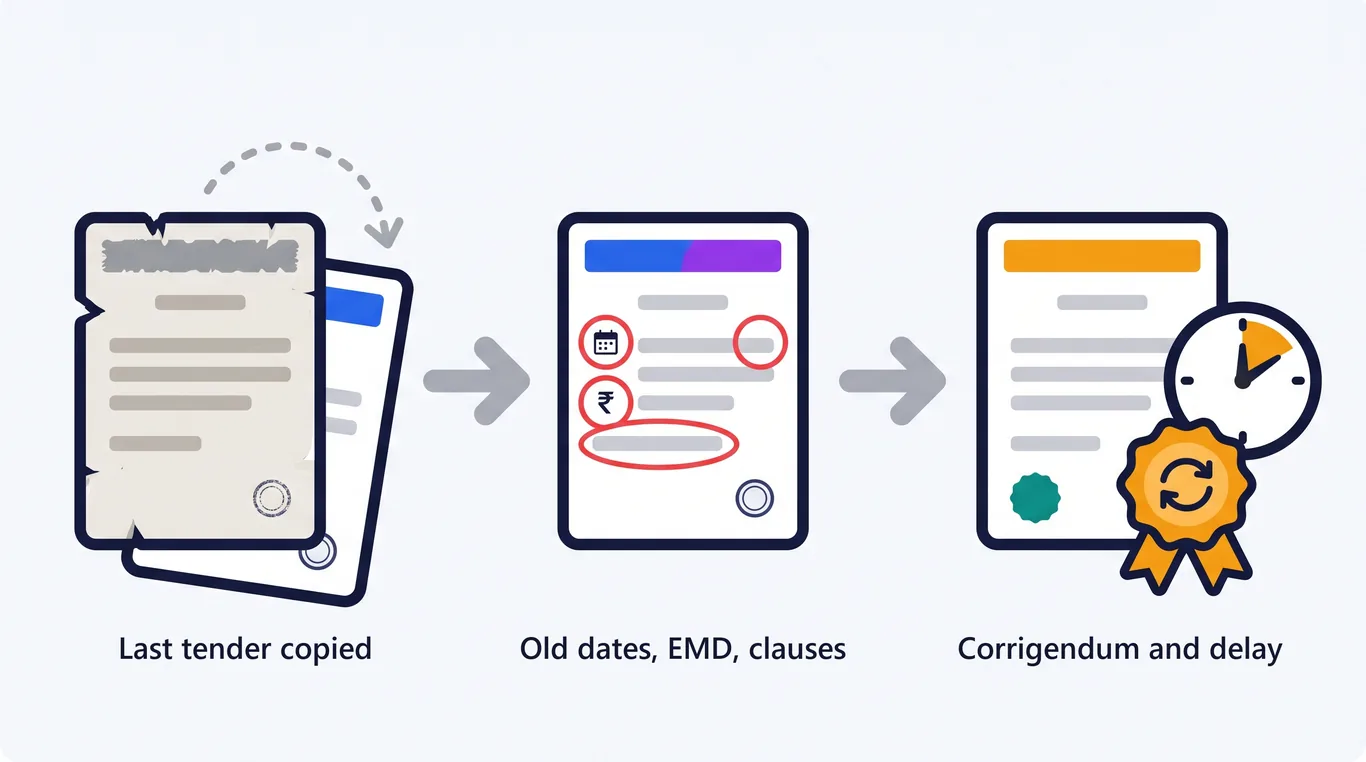
Most tenders start the same way: someone opens the last tender and starts editing.
The title changes. The scope changes. Then the dates, the EMD and the estimated value get updated by hand.
Usually one thing gets missed. An old bid date, an EMD from a smaller contract, or a clause written for a different kind of procurement.
Bidders spot it first. Then come the queries, the corrigendum and the extended deadline.
This guide explains how automated tender document assembly removes that risk, and how procurement teams draft RFPs, NITs and EOIs in their own format without starting from a copy.
Quick answer: what is automated document assembly for tenders? It is software that drafts a complete tender in your organisation's own format from a short brief and a few key details. Your letterhead and standard clauses stay exactly as written, every essential section is included, and you download a finished Word or PDF document.
Automated tender document assembly drafts a new tender from your own format instead of from a copy of the last one.
You describe what you are procuring and enter the key details. The software produces a complete, correctly structured tender that you review, edit and issue.
❌ Copy the last tender
Start: an old document full of old figures
Sections: whatever the last tender had
Clauses: open to accidental edits
Checks: a reviewer re-reads every page
VS
✅ Assemble a new tender
Start: your format, with blanks for new figures
Sections: every essential section included
Clauses: standard wording protected
Checks: sections needing attention are flagged
FROM BRIEF TO A TENDER READY TO ISSUE
You supply the brief and the figures. The format and the standard wording are already yours.
What Sections Must Every Tender Contain?
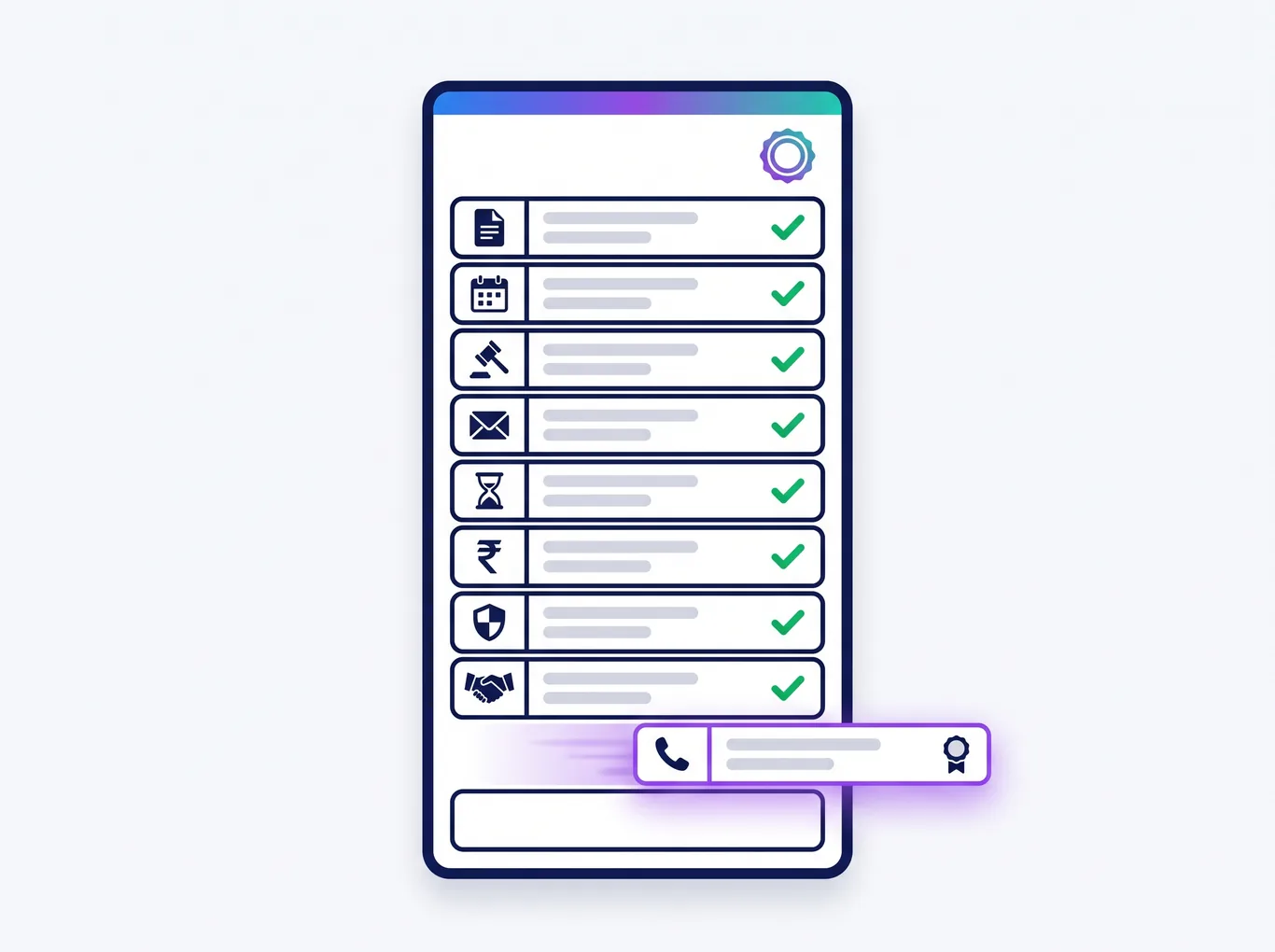
Every tender needs a core set of sections, whatever is being procured. Missing one is the most common reason a tender needs a corrigendum.
✅ Introduction and scope of work
✅ Timeline: publication, pre-bid meeting, bid submission and opening
✅ Mode of tendering and method of selection
✅ Bid submission instructions and bid validity period
✅ EMD, tender fee and performance security
✅ Eligibility criteria and evaluation method
✅ Rates, prices and payment terms
✅ Conflict of interest and integrity provisions
✅ Contact details for bidder queries
Every draft carries all the essential sections, so a missing one never reaches bidders.
Key point: DocuExprt makes sure each of these sections is present in every draft, so a missing section never reaches bidders.
How to Draft a Tender in Your Own Format with DocuExprt
Your organisation's format is set up once. After that, a new tender takes four steps.
Step 1Choose your template
→
Step 2Describe it and add details
→
Step 3Review and edit
→
Step 4Download Word or PDF
The key details are the ones every tender needs: title, estimated value, EMD, bid submission date, pre-bid date and contract duration.
You review the draft in a built-in editor, then download a finished document with cover page, contents, numbering, tables, annexures and your logo.
Built for accuracy
🔢
Figures never made up
Value, EMD and dates come only from you
🔒
Clauses protected
Fixed wording cannot change by mistake
🚩
Gaps flagged
Sections needing attention are marked
📝
Three tender types
RFP, NIT and EOI
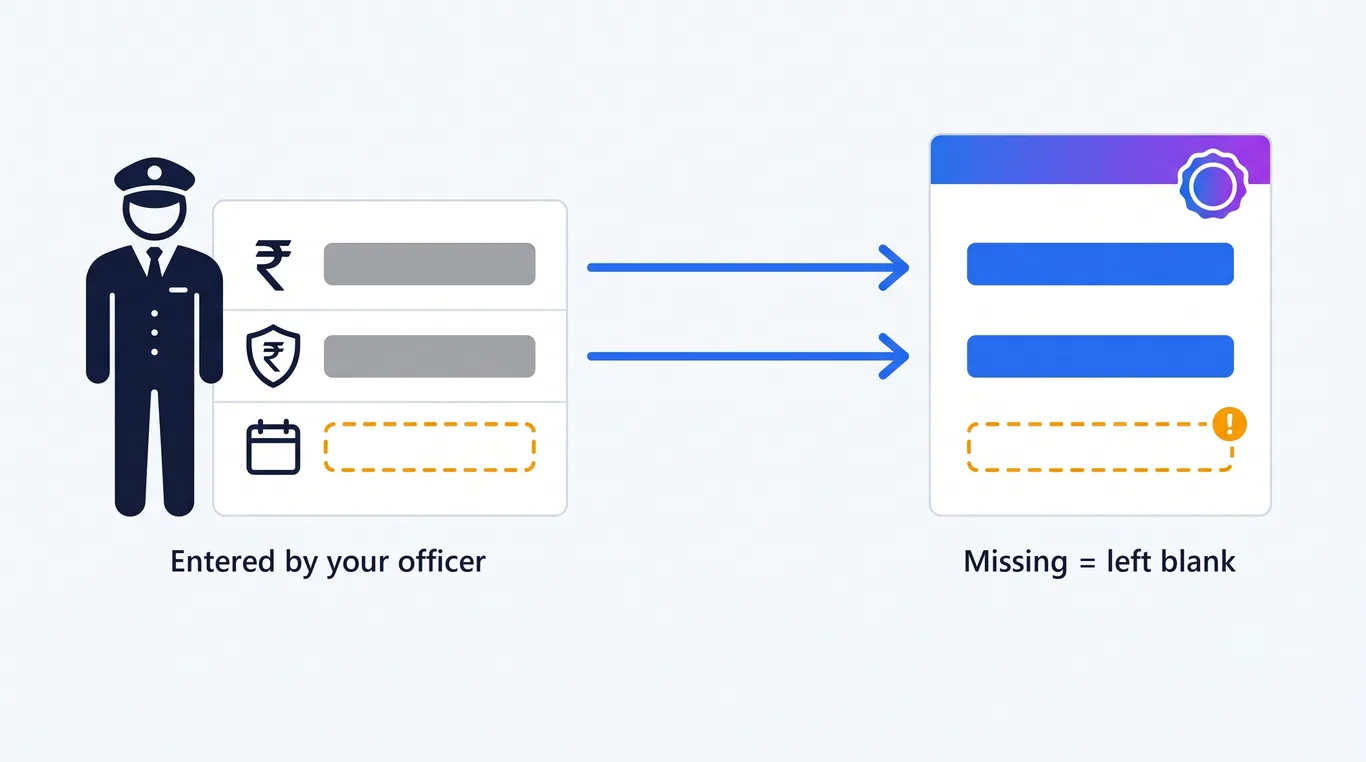
Key point: automated drafting never guesses a number. If the EMD is not entered, the draft shows a blank, not a plausible-looking figure.
Value, EMD and dates come only from you. If one is missing, the draft shows a blank, not a guess.
Departments that issue many tenders a year keep one approved format and stop re-checking copied documents line by line.
🎓 Universities and public institutions
Purchase committees drafting equipment, services and works tenders get the same structure every time, whoever drafts it.
🏢 Enterprise procurement teams
RFPs for vendors and service providers go out in the company's format, with legal's standard terms untouched.
🤝 Consultants issuing tenders for clients
Procurement consultants keep a separate format for each client and draft in that client's style.
From Drafted Tender to Evaluated Bids
Drafting is the first step, not the last. The same tender also decides what every bidder must submit and how each bid will be judged.
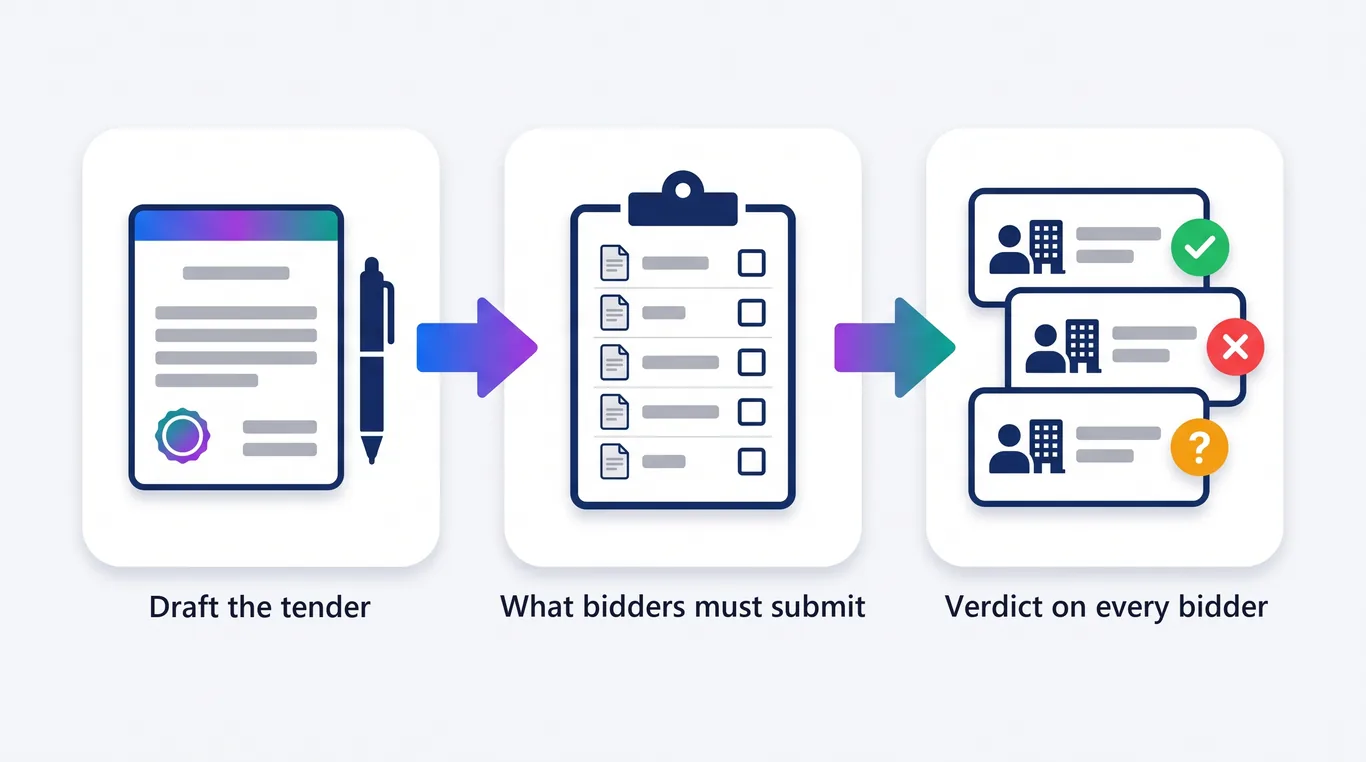
DocuExprt covers the full cycle on one platform: draft the tender, get a checklist of the documents and criteria bidders must meet, then get a clear verdict on every bidder.
Draft the tender, know what bidders must submit, then get a clear verdict on every bidder.
Automation removes copy-paste errors. It does not replace the people accountable for the tender.
✅ A named officer reviews every draft before it is issued
✅ Legal approves the standard clauses once, before they are set up
✅ Compliance with GFR 2017, CVC guidelines or your own procurement manual stays with the department
✅ Eligibility thresholds are set to match the contract, not copied from the last one
✅ Every corrigendum is issued formally and recorded
The draft is complete. Issuing it is still a person's decision.
Key point: treat the drafted tender as a complete first draft that a person signs off, never as a document that issues itself.
Key Takeaways
Copying the last tender carries its old dates, figures and clauses into the new one.
Automated tender document assembly drafts from your format, not from a copy.
Your letterhead, numbering and standard clauses stay exactly as approved.
Key figures such as value, EMD and dates are never invented. Blanks stay blank.
Every essential section is included, which prevents the most common corrigenda.
RFPs, NITs and EOIs download as finished Word or PDF documents.
The same platform takes the tender through to a verdict on every bidder.
A named officer still reviews and approves every tender before issue.
Frequently Asked Questions
What is automated document assembly for tenders?
It is software that drafts a complete tender in your organisation's own format from a short brief and a few key details. Your standard clauses stay as written, every essential section is included, and you download a finished Word or PDF document.
Can AI draft an RFP in our organisation's own format?
Yes. DocuExprt drafts RFPs, NITs and EOIs in your format, with your letterhead, numbering, annexures and standard clauses. Your format is set up once and reused for every new tender.
Will the AI make up figures such as the EMD or bid dates?
No. Estimated value, EMD and dates come only from the details you enter. If a figure is missing, the draft leaves a blank for you to fill instead of guessing.
Can we edit the tender before issuing it?
Yes. You review and edit the draft in a built-in editor before downloading it. Your fixed standard clauses are protected from accidental changes while you edit.
What happens after the tender is issued?
DocuExprt turns the tender into a checklist of required documents and criteria, then checks every bidder against it. Each bidder gets a clear result with the evidence behind it, ready for the evaluation committee.
Draft Your Next Tender from Your Own Format
A tender should start from your approved format, not from the last document someone happened to save.
Automated assembly keeps the format, protects the clauses and leaves the figures to you.
Bring a past tender to a demo, and we will draft a new one in your format on the call.
Draft your next tender with us
Bring a past tender. We draft a new one live.
Your format, your clauses
Every essential section included
Evaluation of every bidder
CERT-IN and ISO 27001 certified
Trusted by enterprises and government boards
CERT-IN CertifiedISO/IEC 27001:2013Data stays in India
Open any onboarding folder in an Indian company and you will find Aadhaar cards. Full 12-digit numbers, front and back, sitting in shared drives and email threads.
For years that was treated as normal. Aadhaar masking rules said otherwise, but few teams read them.
That is changing fast. The DPDP Rules, 2025 name masking as a baseline security safeguard, and that obligation becomes enforceable on 13 May 2027.
UIDAI is also moving against the photocopy habit itself. It has approved a rule requiring private entities to register before they verify Aadhaar at all.
This guide explains what UIDAI and the DPDP Act actually require, where Aadhaar numbers hide in your files, and how to mask them at intake instead of cleaning up later.
Quick answer: what are the Aadhaar masking rules for businesses? Unless a law requires the full number, keep only the last 4 digits visible (XXXX XXXX 1234). UIDAI regulations bar publishing or displaying Aadhaar numbers and require any record made public to be redacted. The DPDP Rules, 2025 list masking among minimum security safeguards, with penalties up to ₹250 crore from May 2027.
Aadhaar masking hides the first 8 digits of the 12-digit Aadhaar number and leaves only the last 4 visible. A masked number reads XXXX XXXX 1234.
UNMASKED VS MASKED AADHAAR (SAMPLE)
Sample number for illustration. Only the last 4 digits stay visible after masking.
UIDAI offers a masked Aadhaar download through myAadhaar. It stays valid for identity proof wherever the full number is not legally required.
Already have an unmasked card or PDF? Our Free Aadhaar Masking Tool masks it in your browser, and the file never leaves your device.
Masking is one of four techniques businesses confuse. They protect different things, and regulators use them for different purposes.
Technique
What it does
Typical use
Masking
Hides the first 8 digits, keeps the last 4
Default for KYC copies, HR files, customer records
Redaction
Removes the number completely, often the whole field
Documents shared with third parties or published
Tokenisation
Replaces the number with a reference token
Systems that must match records without seeing Aadhaar
Data vault
Stores the full number encrypted, separate from other data
Entities legally allowed to keep the full number
Key point: A black rectangle drawn in a PDF editor is often not masking at all. If the text layer underneath survives, anyone can copy the full number out of the file.
What Do UIDAI Rules Require From Businesses?
UIDAI rules apply to any business that collects Aadhaar, not only banks and telecom firms. A hotel front desk and an HR team are covered too.
Three layers matter: the Aadhaar Act, UIDAI's regulations, and UIDAI circulars. The DPDP Act then sits on top of all three.
AADHAAR MASKING RULES: HOW WE GOT HERE
A decade of rules, one direction: keep less of the Aadhaar number, and prove it.
The Aadhaar Act, Section 29
Section 29(4) of the Aadhaar Act, 2016 bars publishing, displaying or posting an Aadhaar number publicly, except as regulations allow.
Since the 2019 amendment, UIDAI's adjudicating officer can levy civil penalties of up to ₹1 crore for violations.
The Sharing of Information Regulations, 2016
These regulations set the core duties for any business that is not a requesting entity. Regulation 5 says any entity collecting an Aadhaar number or a document containing it must:
🎯
Lawful purpose
Collect, store and use it only for a lawful purpose
📢
Tell the holder
Purpose, mandatory or not, and alternatives
✍️
Get consent
For collection, storage and use
🚫
No reuse
No other purpose or sharing without consent
Regulation 6 then adds the masking rule. No entity may make public any record containing Aadhaar numbers "unless the Aadhaar numbers have been redacted or blacked out through appropriate means, both in print and electronic form."
It also requires entities to keep any database of Aadhaar numbers secure and confidential. Read the full text in the UIDAI regulations.
The Aadhaar Data Vault
UIDAI's 2017 Data Vault circular requires entities permitted to store full Aadhaar numbers to keep them encrypted in a separate, access-controlled vault.
Every other system then works with a reference key, not the number. If you do not need a vault, you should not be keeping full numbers.
The 2025 Offline Verification Amendment
The Aadhaar (Authentication and Offline Verification) Amendment Regulations, 2025 created a formal registration framework for Offline Verification Seeking Entities (OVSEs).
In December 2025, UIDAI also approved a rule requiring hotels, event organisers and other private entities to register before verifying Aadhaar. The stated aim is to end the practice of collecting photocopies.
Registered entities are expected to use QR-based checks, API authentication or the new Aadhaar app instead of keeping copies.
A common myth: In May 2022 a UIDAI regional office told citizens to share only masked Aadhaar, and the government withdrew that advisory two days later. The withdrawal changed citizen guidance only. Regulations 5 and 6 still bind businesses.
An Aadhaar number is personal data under the Digital Personal Data Protection Act, 2023. So every DPDP duty applies on top of the UIDAI rules.
The DPDP Rules, 2025 were notified on 14 November 2025 with an 18-month runway. Most substantive duties, including security safeguards and breach notice, apply from 13 May 2027.
Rule 6 names masking directly
Rule 6 lists minimum security safeguards. The first is securing personal data "through its encryption, obfuscation or masking or the use of virtual tokens mapped to that personal data."
For Aadhaar, that turns masking from good practice into a named, auditable control.
Four more DPDP duties that touch Aadhaar files
Purpose limitation: process Aadhaar only for the purpose in your consent notice.
Data minimisation: if the last 4 digits answer the question, the full number is excess data.
Storage limitation: erase personal data once the purpose is served, unless a law requires retention.
Breach notice: report personal data breaches to the Data Protection Board and affected people.
❌ Unmasked intake
Breach scope: every leaked file exposes full Aadhaar numbers
Penalty exposure: up to ₹250 crore for weak safeguards
Erasure: copies in inboxes and drives you cannot find
Audit: no proof of who saw which number
VS
✅ Masked at intake
Breach scope: leaked files show 4 digits only
Penalty exposure: a documented Rule 6 safeguard
Erasure: one controlled store to delete from
Audit: logged access per user and action
Question
UIDAI rules
DPDP Act and Rules
Who must comply
Anyone collecting Aadhaar
Every data fiduciary processing digital personal data
Masking
Redaction required before any record is made public
Masking listed as a minimum safeguard (Rule 6)
Consent
Consent for collection, storage and use
Itemised notice and specific consent
Retention
Lawful purpose only
Erase when purpose is served
Maximum penalty
₹1 crore civil penalty
₹250 crore per breach category
Sector Rules: When You May Keep the Full Number
Masking is the default, but some laws do require the full number. The test is simple: can you name the law that makes you keep it?
Banks show how narrow the exception is. RBI's 2019 KYC amendment requires regulated entities to ensure customers who are not seeking DBT benefits redact or black out their Aadhaar number when submitting it as a KYC document.
So even in banking, the full number is the exception, tied to authentication under the Aadhaar Act.
SHOULD YOU KEEP THE FULL AADHAAR NUMBER?
Two questions settle most cases. The full number belongs only behind a vault.
Business scenario
What to keep
Bank or NBFC, Aadhaar used as an officially valid document
Masked copy plus verification result
Licensed AUA or KUA running authentication
Full number in an Aadhaar Data Vault only
Employer verifying a new hire's identity
Masked copy, or verification result only
Employer seeding UAN where EPFO requires it
Full number in the EPFO flow, masked everywhere else
Hotel, event or housing society check-in
Nothing beyond the QR or app verification outcome
Insurer, hospital or university admission file
Masked copy unless a specific law says otherwise
Rule of thumb: If you cannot point to the clause that needs the full number, keep the last 4 digits and the verification outcome, nothing more.
Where Aadhaar Numbers Hide in Your Files
Most masking failures are not policy failures. The policy says "mask Aadhaar", and the team masks the obvious number on the front of the card.
Our team uses the checklist below when reviewing onboarding files. Each item is a place where a full Aadhaar number survives a manual mask.
SIX PLACES A FULL AADHAAR NUMBER SURVIVES A MANUAL MASK
Masking the front of the card covers one of these six. Intake automation has to cover all of them.
Two of these need a closer look.
QR codes. The current Secure QR is digitally signed and carries only the last 4 digits as part of a reference ID. Older Aadhaar prints used QR formats that could hold the full number in plain text, so masking the printed digits alone is not enough.
PDF text layers. e-Aadhaar and scanned files often carry machine-readable text. A mask must flatten the page so the hidden digits are removed from the file, not just covered.
BLACK-BOX OVERLAY VS FLATTENED MASK
A box drawn on top hides the digits on screen only. Flattening removes them from the file.
How to Mask an Aadhaar Card Correctly: 4 Steps
For a single card, the process takes about a minute. The steps below close every gap shown above.
📤
Step 1: Upload both sides
Front, back or the full e-Aadhaar PDF
🔍
Step 2: Find every instance
Card, letter section and any older QR code
⬛
Step 3: Mask and flatten
Hide the first 8 digits, export as one image layer
🗑️
Step 4: Share and delete
Send the masked file, delete the original
Try it free: The Free Aadhaar Masking Tool runs steps 1 to 3 in your browser and exports a flattened PDF. Nothing is uploaded to a server.
How to Automate Aadhaar Masking at Intake
Manual masking works for one card. It breaks at onboarding volume, because every reviewer becomes a single point of failure.
The fix is to mask at the moment of intake, before a file reaches any shared drive or reviewer.
AADHAAR MASKING AT INTAKE: 5-STAGE PIPELINE
No reviewer ever handles an unmasked number. The original never reaches a shared drive.
Verification and masking belong in one flow. You confirm the document is genuine first, then keep only what the purpose needs.
Verification-first platforms make this a pipeline step rather than a person with a cropping tool. DocuExprt decodes the UIDAI Secure QR on Aadhaar, pulls issued documents from DigiLocker with the holder's consent, and runs tamper detection on every file.
For masking itself, the DocuExprt Aadhaar masking tool blacks out the first 8 digits and exports a flattened PDF. Teams running KYC at volume use bulk masking or API access inside their onboarding workflow.
Around that, the controls auditors ask about come built in: role-based access control, audit logs with IP monitoring, encryption in transit and at rest, and an option for immediate deletion after processing.
🔍
Secure QR decoding
Checks the UIDAI-signed QR on Aadhaar
⬛
Bulk masking
Batch and API masking for KYC flows
🔐
Access control
Role-based access and audit logs
🗑️
No retention option
Immediate deletion after processing
For regulated teams: DocuExprt runs as SaaS, private cloud or on-premise, so Aadhaar data can stay inside your own network perimeter. See the enterprise verification guide for deployment details.
Use this list to test your current process before May 2027. Each item maps to a UIDAI regulation or a DPDP duty.
✅ Every form that asks for Aadhaar states the purpose and offers an alternative ID.
✅ Consent covers collection, storage and use, and is recorded.
✅ You can name the law for every system that keeps the full number.
✅ Full numbers, where allowed, sit in an encrypted vault, not in shared drives.
✅ Masking covers the card back, e-Aadhaar letter and QR code, not just the front.
✅ Masked PDFs are flattened so no text layer survives.
✅ Original unmasked uploads are deleted after verification.
✅ Reports, exports and dashboards show only the last 4 digits.
✅ Access to Aadhaar records is role-based and logged.
✅ Your breach response plan covers Aadhaar files and DPDP notice timelines.
Start here: Search your shared drives for files named "aadhaar". The count usually ends the debate about whether intake automation is needed.
Key Takeaways
A masked Aadhaar shows only the last 4 digits: XXXX XXXX 1234.
UIDAI's Regulation 5 requires a lawful purpose, notice and consent before you collect Aadhaar.
Regulation 6 bars publishing Aadhaar numbers unless redacted, in print and electronic form.
DPDP Rule 6 names masking as a minimum security safeguard from 13 May 2027.
Weak safeguards can draw DPDP penalties of up to ₹250 crore.
Keep the full number only where a named law requires it, and then only in a vault.
Manual masking misses the card back, e-Aadhaar letters, older QR codes and PDF text layers.
Masking at intake, after verification, is the only approach that scales.
Frequently Asked Questions
Is Aadhaar masking mandatory for businesses?
UIDAI regulations require Aadhaar numbers to be redacted before any record is made public and require entities to keep stored numbers secure and confidential. The DPDP Rules, 2025 add masking as a listed minimum safeguard from 13 May 2027. In practice, masking is mandatory wherever the full number is not legally required.
Can a company store a copy of an employee's Aadhaar card?
Only for a lawful purpose, after telling the employee why and getting consent, under UIDAI's Sharing of Information Regulations. A masked copy or a verification result is usually enough. The full number should sit only in flows that legally require it, such as EPFO UAN seeding.
Is a masked Aadhaar valid for KYC?
Yes, where the full number is not required for authentication. RBI's KYC rules require banks to ensure customers who are not seeking DBT benefits redact their Aadhaar number when submitting it as a KYC document. Verification can then rely on the Secure QR, DigiLocker or offline e-KYC.
What is the penalty for not masking Aadhaar?
Under the Aadhaar Act, UIDAI's adjudicating officer can impose civil penalties of up to ₹1 crore. Under the DPDP Act, failing to take reasonable security safeguards can draw up to ₹250 crore, and failing to report a breach up to ₹200 crore.
Does masking the printed number make an Aadhaar copy safe?
Not always. The number is printed on both sides of the card and more than once on e-Aadhaar, older QR codes can encode it, and PDFs can keep it in a hidden text layer. A safe mask covers every instance and flattens the file.
Do hotels need to register with UIDAI to verify Aadhaar?
UIDAI approved a rule in December 2025 requiring hotels, event organisers and other private entities to register before carrying out Aadhaar verification. Registered entities are expected to use QR-based checks, API authentication or the Aadhaar app instead of collecting photocopies.
Mask First, Then Keep Only What You Need
Aadhaar masking used to be a privacy courtesy. Under UIDAI's regulations and the DPDP Rules, it is now a control you will be asked to prove.
The deadline is fixed: 13 May 2027. The teams that move first will mask at intake, verify at source and delete the rest.
That is the same approach behind deployments such as SBTE Bihar, where 50,000+ documents were verified within a couple of days.
Get DPDP-ready before May 2027
Bring a sample batch. We run it live on the demo.
50,000+ documents in days
99% accuracy
PAN, Aadhaar, GST + 30+ govt DBs
CERT-IN certified security
Trusted by enterprises and government boards
CERT-IN CertifiedISO/IEC 27001:2013Data stays in India
India recorded 1.73 lakh road deaths in 2023, with overspeeding contributing to 68% of all traffic fatalities. Behind these numbers is a compliance crisis - unqualified drivers operating fleet vehicles, expired registrations on the road, and lapsed insurance policies that leave enterprises liable for accidents they could have prevented.
The Motor Vehicles (Amendment) Act, 2019 increased the penalty for driving without a valid license from ₹500 to ₹5,000 (first offense) and up to ₹10,000 with imprisonment for repeat offenders. For fleet operators, logistics companies, and ride-hailing platforms, every unverified driver is a legal liability and every unchecked vehicle registration is a compliance gap.
This guide covers how RTO verification APIs work, DocuExprt's vehicle RC and driving license verification capabilities, and how to build automated fleet compliance workflows that verify drivers and vehicles in seconds.
The Motor Vehicles Act imposes strict requirements on fleet operators, logistics companies, and any enterprise that employs drivers or operates vehicles:
For enterprises operating fleets of 50, 500, or 5,000+ vehicles, the liability compounds. A single accident involving a driver with an expired license or a vehicle with lapsed registration can result in criminal prosecution of the fleet operator, insurance claims being denied, and regulatory action against the company.
INDIA ROAD ACCIDENT DEATHS - CONTRIBUTING FACTORS
Source: Ministry of Road Transport & Highways, Road Accidents in India 2023. Licence validity is one of the few contributing factors an employer can verify before a driver ever starts a shift.
The Verification Challenge at Scale
Consider the compliance surface for a mid-size logistics company:
500 vehicles - each with RC, insurance, fitness certificate, permit, and pollution certificate
700 drivers - each with DL, medical fitness, and specific vehicle category endorsements
5 documents per vehicle × 500 = 2,500 vehicle documents to track
3 documents per driver × 700 = 2,100 driver documents to track
Total: 4,600+ documents, each with different expiry dates
Manual tracking through spreadsheets means missed renewals, expired documents discovered only during roadside checks, and reactive compliance - fixing problems after penalties are imposed, not before.
MOTOR VEHICLES ACT PENALTIES - BEFORE VS AFTER THE 2019 AMENDMENT
Source: Motor Vehicles (Amendment) Act, 2019. Penalties apply per offence, and repeat offences carry higher fines plus imprisonment.
Insurance Verification is Critical
Insurance companies face their own verification challenges:
Policy issuance: Verify RC validity, vehicle ownership, and existing insurance before underwriting
Claims processing: Confirm the driver had a valid DL at the time of the accident, the vehicle RC was current, and the vehicle was used within its registered purpose
Fraud detection: Cross-reference claim details with RC data - mismatches between claimed vehicle details and actual registration records indicate potential fraud
Ride-Hailing and Gig Economy Compliance
Platforms like Ola, Uber, and other ride-hailing services onboard thousands of drivers monthly. Each driver must have:
Valid DL with appropriate vehicle category (LMV for cars, MCWG for bikes)
Valid vehicle RC matching the registered vehicle
No pending challans that indicate unsafe driving patterns
Active insurance on the vehicle
At this scale, manual verification is impossible. API-based verification is the only viable approach.
DocuExprt's RTO Verification APIs
DocuExprt provides three RTO verification endpoints that connect to the VAHAN (vehicle) and SARATHI (license) government databases.
DL-Advanced
Full driving license verification. Returns name, status, validity, vehicle categories, endorsements, issuing RTO, and photo.
License status: Active / Expired / Suspended / Revoked
Blood group
Issuing RTO details
Photo (where available from database)
Response time:2-5 seconds
Use Cases
Driver onboarding for fleets: Before assigning a driver to any vehicle, verify their DL is active, not suspended, and includes the correct vehicle category. A driver with only an LMV endorsement cannot legally operate a heavy goods vehicle.
Ride-hailing driver verification: Confirm license validity and category for every new driver joining the platform. Set up periodic re-verification to catch licenses that expire after onboarding.
Insurance claims processing: Verify that the driver involved in an accident held a valid DL at the time of the incident. An invalid DL at the time of the accident can void the insurance claim entirely.
Age and identity verification: DL serves as an identity document - the API returns demographics that can be cross-referenced with other verification endpoints.
Fleet compliance monitoring: Verify every vehicle in your fleet - RC validity, insurance status, fitness certificate expiry, and pending challans in a single API call. One call gives you the complete compliance picture.
Used vehicle purchase verification: Before acquiring vehicles for your fleet, verify registration details, ownership, hypothecation status (is the vehicle under a loan?), and pending challans.
Insurance underwriting: Pull vehicle details, insurance history, and challan records before issuing a policy. Vehicles with extensive challan histories represent higher risk.
Logistics transporter verification: When onboarding a transport partner, verify their fleet vehicles are registered, insured, and compliant.
3. Face Matching with DL Photo
Biometric verification to confirm driver identity.
Input: Live photo + DL Number
Returns:
Face match score (0-100%)
Liveness detection result
Match/No Match determination
Use Cases
Driver impersonation prevention: In fleet and ride-hailing contexts, confirm that the person operating the vehicle is the actual DL holder - not someone using another person's license
High-security fleet operations: For vehicles carrying high-value cargo, cash-in-transit, or hazardous materials, biometric verification ensures only authorized drivers are at the wheel
Accident investigation: Confirm the identity of the driver involved in an incident
DocuExprt's RTO verification APIs connect to two separate government databases, each maintained by the Ministry of Road Transport & Highways (MoRTH). Understanding which database serves which purpose helps you design the right verification workflow.
VAHAN
National Vehicle Registration Database
✓ Vehicle registration (RC) details
✓ Owner name and address
✓ Vehicle make, model, color
✓ Engine & chassis numbers
✓ Insurance policy details
✓ Fitness certificate status
✓ Permit and tax information
✓ Hypothecation (loan) status
✓ Pending challans (fines)
API Endpoint: RC-Challan-Details Coverage: 35+ crore registered vehicles across all RTOs
SARATHI
National Driving License Database
✓ Driving license holder details
✓ License validity dates
✓ Vehicle category endorsements
✓ License status (Active/Expired/Suspended)
✓ Endorsements and restrictions
✓ Issuing RTO details
✓ Photo of license holder
✓ Blood group
✓ Date of birth verification
API Endpoints: DL-Advanced + Face Match Coverage: 25+ crore driving licenses issued across India
A fleet operator with 500+ vehicles and 700+ drivers must maintain compliance for every driver-vehicle combination. DL expiries, RC renewals, insurance lapses, and fitness certificate deadlines create a constant compliance treadmill.
DocuExprt Solution:
Driver onboarding: New driver submits DL number and DOB → DL-Advanced API verifies license status, category, and validity → face match confirms identity → driver approved or flagged
Vehicle onboarding: Vehicle RC number entered → RC-Challan-Details returns full vehicle profile including insurance, fitness, and pending challans → compliance gaps identified immediately
Ongoing monitoring: DocuExprt's trigger system sends automated alerts 30/15/7 days before DL expiry, RC expiry, insurance lapse, and fitness certificate expiry. Monthly bulk re-verification catches any mid-cycle status changes. Challan monitoring flags drivers who accumulate traffic violations.
Result: Zero compliance surprises. Every driver and vehicle verified before deployment. Automated expiry alerts prevent lapses. Fleet manager gets a compliance dashboard instead of a spreadsheet.
Insurance - Vehicle Verification for Policy Issuance & Claims
The Challenge
An insurance company processing 10,000+ motor policies monthly needs to verify vehicle details and driver credentials at two critical points: policy issuance and claims.
Pre-Policy Verification:
Applicant submits vehicle registration number
RC-Challan-Details returns vehicle details, ownership, existing insurance, and fitness status
Challan history informs risk assessment - vehicles with multiple challans may warrant higher premiums
Cross-reference owner details with applicant identity for fraud prevention
Claims Verification:
Claimant submits claim with accident details
RC verification confirms vehicle registration was valid at time of accident
DL verification confirms the driver had a valid license with the correct vehicle category
Mismatches (expired DL, wrong vehicle category, lapsed RC) flagged as grounds for claim investigation
Face match can confirm driver identity if identity is disputed
Result: Underwriting decisions informed by real-time vehicle data. Fraudulent claims caught at the verification stage before payout. Claims processing accelerated for legitimate claims where all verification checks pass automatically.
Logistics - Transporter KYC and Vehicle Compliance
The Challenge
A logistics company onboarding transport partners needs to verify that the partner's fleet is registered, insured, and compliant. The partner may operate 20-100 vehicles across multiple states with different RTO jurisdictions.
DocuExprt Solution:
Transport partner submits vehicle registration numbers for entire fleet (CSV bulk upload)
DocuExprt runs RC-Challan-Details on every vehicle in parallel
Results show compliance status for each vehicle - valid RC, active insurance, pending challans
Non-compliant vehicles flagged with specific issues (expired insurance, pending heavy challans, lapsed fitness certificate)
Transport partner given a compliance score based on fleet-wide verification results
Ongoing monitoring triggers alerts when any vehicle's compliance status changes
Result: Transport partner onboarding based on verified fleet compliance, not document submissions. Route assignments consider compliance status. Regulatory risk distributed based on data, not trust.
Building an RTO Verification Workflow in DocuExprt
Fleet Compliance Workflow Architecture
DocuExprt's visual no-code workflow builder lets you connect verification APIs, conditional logic, and automated triggers into a complete compliance pipeline. Here is the architecture:
Step 1 • Input
DL No. + DOB RC No. + Photo
→
Step 2 • Processing
DL-Advanced RC-Challan Face Match
→
Step 3 • Conditional
DL Active? RC Valid? Face Match ≥90%?
→
Step 4 • Output
Compliance Report Expiry Calendar Risk Score
Setup Steps
Step 1: Input Node
Individual verification: Driver or fleet manager enters DL number + DOB and vehicle RC number
Bulk upload: CSV with all fleet vehicles and driver details for batch verification
API trigger: Webhook from fleet management system (e.g., when a new driver is assigned to a vehicle)
RC-Challan-Details - Returns vehicle registration, insurance, fitness, and pending challans
Face Match (optional) - Compares driver's live photo against DL photo
Step 3: Conditional Logic
Check
Condition
Action
DL Status
Active
✓ Continue
DL Status
Expired/Suspended/Revoked
✗ BLOCK - cannot drive
DL Vehicle Category
Matches assigned vehicle
✓ Continue
DL Vehicle Category
Mismatch
✗ BLOCK - wrong category
RC Valid
Yes
✓ Continue
RC Expired
Yes
⚠ FLAG - vehicle cannot operate
Insurance Active
Yes
✓ Continue
Insurance Expired
Yes
✗ BLOCK - no coverage
Pending Challans
< 3 minor
✓ Continue
Pending Challans
≥ 3 or any major
⚠ FLAG - risk review
Face Match
≥ 90%
✓ Continue
Face Match
< 90%
✗ BLOCK - identity mismatch
Step 4: Output and Triggers
Compliance report per driver-vehicle combination
Expiry calendar with automated alerts at 30/15/7 days before expiry
Fleet compliance dashboard data export
Webhook notifications to fleet management system for real-time status updates
Key Takeaways
India recorded 1.73 lakh road deaths in 2023 - fleet compliance is a safety mandate, not just regulatory paperwork
Motor Vehicle Act penalties are steep - ₹5,000-₹10,000 for DL violations, ₹10,000 for fitness certificate violations, plus vehicle seizure and imprisonment
DocuExprt provides 3 RTO verification APIs - DL-Advanced (full license check), RC-Challan-Details (vehicle + fines), and Face Match (biometric identity)
Single RC API call returns everything - owner, vehicle details, registration validity, insurance status, fitness certificate, pending challans, and hypothecation
DL vehicle category verification prevents illegal vehicle assignment - a critical compliance requirement for fleet operators
Challan history informs risk assessment - for insurance underwriting and fleet management decisions
Automated expiry alerts through DocuExprt's trigger system prevent compliance lapses before they happen
Bulk verification handles fleets of 500+ vehicles and drivers in a single batch operation
Run It on Your Own Fleet Data
Bring one driver batch. We verify it on the call.
Fleet onboarding workflows mapped
VAHAN and SARATHI in real time
Inspection-ready audit trails
Cloud, private cloud or on-premise
Trusted by enterprises and government boards
CERT-IN CertifiedISO/IEC 27001:2013Data stays in India
Free trial tokens available for testing.
Enter a DL number. Enter an RC number. See the complete compliance picture.
Frequently Asked Questions
1. How do I verify a driving license online via API?
DocuExprt's DL-Advanced API takes a driving license number and date of birth as input. It connects to the SARATHI government database and returns the complete license profile - holder name, license status (Active/Expired/Suspended/Revoked), validity dates, authorized vehicle categories, endorsements, restrictions, and issuing RTO. The verification completes in 2-5 seconds. For fleet operators, this means you can verify a driver's credentials in real time before vehicle assignment.
2. Can I check pending challans on a vehicle via API?
Yes. DocuExprt's RC-Challan-Details API returns pending challans (traffic fines) along with the full vehicle registration profile in a single API call. The challan data includes the nature of the violation, date, and amount. This is valuable for fleet operators assessing driver risk, insurance companies evaluating vehicle risk during underwriting, and logistics companies conducting transporter due diligence.
3. How accurate is RTO document verification?
DocuExprt's RTO verification APIs connect directly to the VAHAN (vehicle registration) and SARATHI (driving license) government databases maintained by the Ministry of Road Transport & Highways. The data returned is the same data available to RTOs and traffic police. Accuracy is equivalent to the government record itself. Response times are 2-8 seconds depending on the endpoint and database load.
4. Can I verify vehicle RC and DL in bulk for my fleet?
Yes. DocuExprt supports bulk verification through CSV upload - upload a spreadsheet with all vehicle registration numbers and driver license numbers, and receive a consolidated compliance report for the entire fleet. This is used for quarterly fleet audits, new fleet onboarding, and annual compliance reviews. API-based batch processing is also available for programmatic integration with fleet management systems.
5. How does face matching with DL photo work?
DocuExprt's Face Match API compares a live photo (taken via smartphone or webcam) against the photo on the driving license record retrieved from the SARATHI database. AI-powered liveness detection ensures the live photo is from a real person (not a printout or screen image). The API returns a match score (0-100%) and a Match/No Match determination. This prevents driver impersonation in fleet operations, ride-hailing platforms, and high-security transport scenarios.
India's Digital India programme has transformed the scale of government document processing. DigiLocker alone has crossed 57 crore registered users and issued over 990 crore documents digitally – serving as the backbone of paperless governance.
The UMANG platform offers 2,300 services across 23 languages with 626 crore transactions processed. Government e-Marketplace (GeM) recorded ₹4.09 lakh crore in procurement value in just 10 months of FY 2024-25 – a 50% year-over-year increase.
Yet behind this digital transformation lies a massive bottleneck: the document verification layer. Every welfare scheme application requires eligibility verification across multiple documents. Every government procurement requires vendor qualification checks.
Every citizen service from pension disbursement to property registration to license renewal depends on verifying identity documents, eligibility certificates, and compliance records against government databases.
For most government agencies, this verification still happens manually – clerks checking documents visually, making phone calls to other departments, and maintaining paper-based audit trails.
The result: long queues, processing delays measured in weeks, inconsistent verification quality, and vulnerability to document fraud that costs the exchequer billions through welfare scheme leakage.
India has already cancelled 5.87 crore ineligible ration cards and 4.23 crore duplicate LPG connections through digital verification – demonstrating both the scale of fraud and the power of automated document checks.
This guide covers how AI-powered document verification transforms government operations from citizen identity verification and welfare scheme eligibility to government procurement compliance and inter-department document processing.
The Digital Transformation Imperative for Government Document Processing
Government agencies at every level – central ministries, state departments, district administrations, PSUs, and municipal bodies – process enormous volumes of citizen documents daily. The sheer scale creates challenges that manual verification cannot solve.
Billions lost annually to document-based fraud across government programmes
The Digital India Vision
The Government of India's Digital India programme envisions a paperless, transparent, accountable governance system. DigiLocker has already proven the model – 85% of users rate the platform "very good" and 78% report avoiding at least one physical visit per transaction. The next frontier is bringing this same digital efficiency to the verification layer – where AI can automate the checking, cross-referencing, and decision-making that currently depends on manual inspection.
AI-Powered Citizen Document Verification at Scale
Every government service delivery requires citizen identity verification. Whether a farmer applies for a subsidy, a student applies for a scholarship, or a pensioner requests disbursement – identity and eligibility must be confirmed against authoritative records.
Identity Verification for Government Services
Citizen Document
Verification API
Government Service Application
Aadhaar
Aadhaar eKYC
Universal identity verification for all citizen services
PAN Card
PAN Verification
Tax-related services, financial benefit schemes
Voter ID
Voter ID Verification
Electoral services, identity proof for local government services
Passport
Passport Verification
Immigration, consular services, international schemes
Driving License
DL-Advanced
Transport services, license renewals, vehicle registrations
DocuExprt's Aadhaar eKYC integration enables government agencies to verify citizen identity in real-time through UIDAI's authorized channels. OTP-based verification confirms identity without requiring physical document submission – a citizen can verify their identity from home, eliminating the need for office visits.
Face-Aadhaar matching via DigiLocker adds a biometric verification layer for high-security services – confirming that the person requesting the service is the legitimate Aadhaar holder. This prevents identity impersonation in benefit disbursement, property registration, and other high-value government transactions.
Welfare Scheme Eligibility Verification
Welfare scheme fraud costs the Indian exchequer billions annually. The cancellation of 5.87 crore ineligible ration cards demonstrates the scale of the problem. AI-powered document verification can automate eligibility checks across multiple criteria simultaneously.
Eligibility Document
What to Verify
Verification Method
Income Certificate
Income within scheme threshold
Cross-check against PAN/ITR records
Caste/Community Certificate
Belongs to eligible category
Document extraction + database verification
Domicile Certificate
Resident of applicable state/district
Aadhaar address verification
BPL Certificate
Below Poverty Line status
Cross-reference with BPL database
Age/Birth Certificate
Meets age criteria
Aadhaar demographic verification
Bank Account Details
Valid account for DBT
Bank Account Verification API
Automated eligibility workflow:
A citizen applies for a welfare scheme online. DocuExprt's AI extracts data from all submitted documents – identity proofs, income certificates, category certificates.
Each data point is verified against the relevant government database. Eligibility criteria are checked automatically (income below threshold, correct age bracket, valid domicile, matching category). If all criteria pass, the application is auto-approved for benefit disbursement.
If any criterion fails, the system generates a specific rejection reason – not a vague "documents insufficient" but a precise "income exceeds scheme threshold based on PAN-linked ITR data."
This precision reduces citizen grievances (clear reasons for rejection), eliminates fraud (documents verified against databases, not visual inspection), and accelerates processing from weeks to minutes.
Business Compliance Verification for Government Departments
Government departments interact with businesses through licensing, procurement, taxation, and regulation. Each interaction requires business document verification.
Tax deduction compliance for government contractors
Inter-Department Document Processing
One of the most persistent pain points in government operations is the movement of documents between departments for multi-stage approval processes.
The Current Reality
A typical government service requiring inter-department approval follows this pattern:
Citizen submits documents at Department A
Department A verifies and forwards physical file to Department B
File sits in Department B's inbox for days/weeks
Department B verifies its portion and forwards to Department C
Process repeats across 3-5 departments
Total processing time: 2-8 weeks for a process that could take hours
Each department re-verifies the same identity documents, creating redundant work. Physical file movement creates tracking problems. Lost files require re-submission. And there is no unified audit trail across departments.
DocuExprt's Centralized Document Verification Hub
DocuExprt transforms inter-department processing by creating a centralized digital verification layer:
Single verification, multiple consumers: When a citizen's identity documents are verified once through government APIs (Aadhaar, PAN, etc.), the verification result is available to all departments involved in the workflow. No redundant re-verification.
Digital routing: Instead of physical files moving between offices, verified document data flows through DocuExprt's workflow system. Each department receives the extracted, verified data relevant to their decision – not a physical file to manually review.
Parallel processing: Instead of sequential department-to-department routing, multiple departments can review their respective portions simultaneously. A building permission that requires checks from planning, fire safety, and environment departments can process all three in parallel.
Unified audit trail: Every verification action, routing decision, and departmental approval is logged with timestamps and user details. This creates a complete, searchable audit trail across all departments involved.
Processing time impact: Multi-department approvals that take 2-8 weeks with physical file routing can be completed in 1-3 days with digitized, parallel-processed verification workflows.
Government procurement – valued at ₹4.09 lakh crore on GeM alone in FY 2024-25 – requires rigorous vendor document verification. Every supplier bidding on government contracts must prove business legitimacy, MSME status (for procurement quotas), tax compliance, and financial health.
Vendor Qualification for Government Procurement
Verification Step
API Used
Procurement Compliance Purpose
GSTIN Check
GSTIN Verification (Detailed)
Business legitimacy, active registration, filing compliance
MSME Status
Udyam Registration Status
25% MSME procurement mandate compliance
Director Check
Director Lookup (DIN)
Disqualified directors, shell company detection
PAN Verification
PAN Verification
Tax identity of authorized signatories
Bank Account
Bank Account Verification
Valid account for payment processing
TDS Compliance
TDS Verification
Tax deduction and deposit compliance
MSME Procurement Mandate Compliance
The Indian government mandates that 25% of annual procurement by central ministries, departments, and PSUs must come from MSMEs, with 4% reserved for SC/ST enterprises and 3% for women-owned MSMEs. Verifying MSME classification is both a compliance requirement and a transparency measure.
DocuExprt's Udyam verification API confirms MSME registration in real-time – checking whether the enterprise is genuinely registered, correctly classified (Micro/Small/Medium), and within the applicable investment and turnover thresholds. This prevents false MSME claims that would distort procurement statistics and potentially trigger audit penalties.
GeM Marketplace Compliance
For procurement through the Government e-Marketplace, vendor qualification can be automated through DocuExprt's workflow builder:
Vendor submits GeM registration documents
AI extraction pulls GSTIN, PAN, Udyam number, bank details
GSTIN verification confirms active business registration and filing compliance
Director Lookup checks for disqualified directors or shell company indicators
Bank account verification confirms payment details
Compliance score generated – pass/fail/review
Automated vendor qualification report for procurement committee
DigiLocker Integration and Paperless Workflows
DigiLocker is India's most successful digital document platform – 57 crore users, 990 crore documents issued, 2,131 issuers, 2,611 requesters. Integration with DigiLocker enables government agencies to access citizen documents directly from the digital vault, eliminating physical document submission entirely.
How DigiLocker Integration Works with DocuExprt
Citizen-Consented Document Access:
Instead of asking citizens to photocopy, scan, and submit physical documents, government agencies can request documents directly from the citizen's DigiLocker wallet – with the citizen's explicit consent. This eliminates the single largest source of document fraud in government services: fake physical documents.
Eliminating Fake Document Submissions:
When documents are pulled directly from DigiLocker (issued by authorized government issuers), they carry the issuer's digital signature. These cannot be tampered with – unlike photocopies or scanned images that citizens currently submit. Combined with DocuExprt's government API verification layer, this creates a two-tier authenticity guarantee.
Workflow Integration:
DocuExprt's workflow builder can include DigiLocker as an input node – pulling specific document types (Aadhaar, PAN, driving license, academic certificates) from the citizen's digital vault as part of the verification pipeline. The pulled documents feed directly into AI extraction and government API verification, creating an end-to-end digital process from document retrieval to verified decision.
Impact on Citizen Experience
Metric
Without DigiLocker Integration
With DigiLocker Integration
Documents to carry
Physical originals + photocopies
None (digital access)
Physical visits required
2-4 per service
0-1
Document submission time
30-60 minutes per visit
2-5 minutes online
Fraud risk
High (photocopies can be forged)
Minimal (digitally signed documents)
Processing delay
Days to weeks
Minutes to hours
Re-submission for rejection
Common (unclear requirements)
Rare (specific rejection reasons)
Government-Specific Workflows in DocuExprt
DocuExprt's visual no-code workflow builder enables government agencies to create citizen service pipelines tailored to their specific requirements.
Automated life certificate validation & pension disbursement engine
Step 1
Entry Point
Pensioner Identity Submission
Submitted via Pension Portal, Jeevan Pramaan App, or assisted kiosk
AadhaarBank Details
Step 2
UIDAI · eKYC
Aadhaar eKYC — Life Certificate Verification
Biometric / OTP-based liveness check confirming pensioner is alive & active
Step 3
Pension Account
Bank Account Verification
Penny-drop validation & active status check on pension disbursement account
Step 4
EPFO · UAN (Recent Retirees)
Employment History Check
UAN-linked service record validation — confirms retirement date & pension eligibility period
Step 5
Confirmation Engine
Pension Eligibility Confirmation
Cross-validation of all signals before disbursement decision
Aadhaar identity & liveness confirmed
Pension bank account active & matched
Employment / retirement record validated
No duplicate or fraudulent claim detected
⚖️
Verification Outcome Routing
All checks pass vs. any mismatch or anomaly detected
✔ If Verified
✅
Outcome · Approved
Approve Disbursement & Update Pension Records
Pension released to verified account; Jeevan Pramaan record updated & pensioner notified via SMS
⚠ If Mismatch
Outcome · Flagged
Flag for Investigation & Notify Pension Office
Disbursement held; anomaly report raised with specific mismatch details for pension office review
Approved
Flagged / Held
Use case: Monthly/annual pension life certificate verification, pensioner identity confirmation Processing time: Under 2 minutes per pensioner
Trigger System for Government Operations
DocuExprt's trigger system automates recurring government verification needs:
License/Certificate Expiry Monitoring: Alert departments when issued licenses (FSSAI, trade licenses, building permits) approach expiry for renewal processing
Periodic Re-Verification: Schedule annual eligibility re-checks for ongoing welfare beneficiaries
Document Submission Deadlines: Notify citizens when required document submissions are due
Compliance Calendar: Automated reminders for regulatory filing and reporting deadlines
On-Premise Deployment for Government Data Sovereignty
Government agencies operate under strict data sovereignty requirements. Aadhaar numbers, PAN details, voter records, property documents cannot be processed on external cloud infrastructure under the Digital Personal Data Protection (DPDP) Act 2023.
DocuExprt's on-premise deployment solves this by installing the complete AI verification platform on government-owned infrastructure:
What Gets Deployed On-Premise
Component
Capability
AI Extraction Engine
OCR, NLP, QR code decoding for 50+ document types in 20+ languages
Visual Workflow Builder
No-code workflow creation with conditional logic, routing, and approval steps
Government API Connectors
PAN, Aadhaar, GSTIN, DL, Passport, Voter ID — connected via govt network/VPN
Fraud Detection Module
AI-powered anomaly detection, metadata analysis, QR cross-validation
Admin Dashboard
Role-based access, audit trails, analytics — all on local servers
Template System
Pre-built and custom templates for all government document types
Government-Specific Benefits
Air-gapped processing for defense, intelligence, and law enforcement documents
No data egress — all document processing happens within the government network
Compliance with GIGW (Guidelines for Indian Government Websites) standards
Integration with NIC infrastructure and government cloud (MeghRaj/GI Cloud)
Customer-managed encryption with government-approved cryptographic standards
Deployment Options for Government
Option
Use Case
Timeline
Dedicated Government Cloud (GI Cloud/MeghRaj)
State and central government agencies
1-2 weeks
On-Premise (Internet-Connected)
PSUs, municipal corporations, district offices
2-3 weeks
On-Premise (Air-Gapped)
Defense, intelligence, law enforcement
3-4 weeks
QR Code Verification for Citizen Documents
Government-issued documents increasingly embed QR codes for tamper-proof authentication. DocuExprt's QR extraction and validation works with:
Aadhaar e-KYC: UIDAI Secure QR for offline verification without API calls
PAN 2.0: Dynamic QR with real-time data from CBDT database
Academic Certificates: UGC-mandated QR for degree authenticity verification
FSSAI Licenses: QR-encoded license details for food safety compliance
DigiLocker Documents: QR codes on digitally issued government documents
When processing citizen applications at scale — welfare scheme enrollment, license renewals, permit applications — QR verification adds a fast, automated authenticity check that reduces manual scrutiny workload by 80%+.
Security and Compliance for Government Deployments
Government deployments have specific security, data sovereignty, and compliance requirements that exceed standard enterprise needs.
Data Sovereignty and Storage
Data residency: All citizen data processed and stored within India's borders
Cloud storage options: Compatible with government-approved cloud infrastructure (MeghRaj, NIC Cloud)
Encryption: AES-256 encryption for data at rest, TLS 1.3 for data in transit
Data retention policies: Configurable retention periods aligned with government records management rules
Role-Based Access Control (5 Levels)
DocuExprt's 5-level RBAC system maps directly to government administrative hierarchies:
Access Level
Government Role Example
Permissions
Level 1: Viewer
Data Entry Operator
View verification results only
Level 2: Operator
Verification Clerk
Run verifications, view results
Level 3: Supervisor
Section Officer
All above + approve/reject + manage queue
Level 4: Admin
Department Head
All above + create workflows + manage users
Level 5: Super Admin
CIO/IT Director
Full system access + audit logs + configuration
Audit Trail and Compliance Logging
Every action in DocuExprt is logged with:
User identity (who performed the action)
Timestamp (when)
Action type (what was done)
Input data and verification results
Decision taken and reason codes
This audit trail satisfies requirements for RTI (Right to Information) responses, CAG (Comptroller and Auditor General) audits, and departmental inquiries – providing instant, structured access to complete verification histories.
Enterprise Features for Government Scale
Workspace isolation: Multiple departments can operate on the same platform with complete data isolation
Bulk processing: Handle volume spikes during scheme enrollment drives, election periods, or fiscal year-end
API-first architecture: Integrate with existing e-governance platforms (NIC applications, state portals, GeM)
Multi-language support: Process documents in 20+ Indian languages – essential for state-level government operations
Run It on Your Own Applications
Bring one scheme batch. We process it on the call.
Department workflows mapped live
30+ government databases, real time
Inspection-ready audit trails
On-premise or sovereign cloud
Trusted by enterprises and government boards
CERT-IN CertifiedISO/IEC 27001:2013Data stays in India
Free trial tokens available for testing.
Key Takeaways
DigiLocker has crossed 57 crore users and 990 crore documents issued – creating a massive digital document ecosystem, but the verification layer for government services still largely depends on manual processing.
India cancelled 5.87 crore ineligible ration cards and 4.23 crore duplicate LPG connections through digital verification – demonstrating that automated document checks save billions in welfare scheme leakage.
Government e-Marketplace processed ₹4.09 lakh crore in procurement in 10 months of FY 2024-25 – vendor qualification verification at this scale is impossible without automation.
AI-powered citizen identity verification through Aadhaar eKYC and PAN APIs reduces service delivery from weeks to minutes – eliminating physical visits, long queues, and inconsistent verification quality.
Inter-department document routing that takes 2-8 weeks with physical files can be completed in 1-3 days with centralized digital verification and parallel processing workflows.
Welfare scheme eligibility verification can be fully automated – AI extraction of eligibility documents + government database cross-verification + conditional logic for auto-approval or specific rejection reasons.
Government procurement vendor qualification integrates GSTIN, Udyam, Director Lookup, and bank verification – automating MSME mandate compliance and preventing procurement fraud through shell companies.
DocuExprt's 5-level RBAC, workspace isolation, audit trails, and data sovereignty features are specifically designed for government deployment requirements including CAG audits and RTI compliance.
Frequently Asked Questions
How can AI help government agencies process citizen documents faster?
AI accelerates government document processing through three mechanisms. First, intelligent extraction – AI reads and extracts structured data from citizen documents (identity proofs, income certificates, eligibility documents) in seconds, regardless of format or language, replacing manual data entry. Second, real-time government database verification – instead of manual cross-checking, DocuExprt verifies identity data against Aadhaar (UIDAI), PAN (NSDL), and other government databases via APIs, confirming authenticity in seconds rather than days. Third, automated decision-making – workflow conditional logic checks eligibility criteria automatically (income thresholds, age brackets, domicile requirements) and routes applications to approval, rejection, or review with specific reasons. The combined effect transforms service delivery from weeks of manual processing to minutes of automated verification.
Is DocuExprt suitable for on-premise government deployments?
DocuExprt is designed for enterprise-grade deployments including government environments with strict data sovereignty requirements. The platform supports data residency within India, compatibility with government-approved cloud infrastructure (MeghRaj, NIC Cloud), AES-256 encryption for data at rest and TLS 1.3 for data in transit, and configurable data retention policies aligned with government records management rules. The API-first architecture enables integration with existing e-governance platforms, NIC applications, and state government portals. For agencies requiring complete control over their infrastructure, DocuExprt's architecture supports deployment configurations that keep all citizen data within government-controlled environments.
How does AI document verification improve government transparency?
AI document verification improves transparency in three measurable ways. First, every verification action generates a timestamped, immutable audit trail – who submitted what document, when it was verified, what the result was, and who made the decision. This audit trail satisfies RTI, CAG audit, and departmental inquiry requirements. Second, automated verification removes subjective human judgment from the process – the same eligibility criteria are applied consistently to every application, eliminating discretionary approvals or rejections. Third, specific rejection reasons (e.g., "income exceeds threshold based on PAN-linked ITR data") replace vague "documents insufficient" responses, reducing citizen grievances and corruption opportunities.
Can the platform integrate with existing e-governance systems?
Yes. DocuExprt's API-first architecture is designed for integration with existing government IT infrastructure. The platform provides REST APIs for connecting with NIC-developed applications, state government portals, UMANG, and GeM. Cloud storage integrations support Amazon S3, Azure Blob, GCP, and other storage systems used by government agencies. Data export capabilities (MS SQL Server, Excel) enable feeding verified data into existing government databases and MIS systems. Webhook notifications can trigger actions in external systems when verifications complete. The platform also supports DigiLocker integration for citizen-consented document retrieval, enabling seamless connection with India's digital document ecosystem.
What security standards does DocuExprt meet for government use?
DocuExprt meets enterprise security standards required for government deployments: AES-256 encryption for all data at rest, TLS 1.3 for all data in transit, 5-level role-based access control (RBAC) mapping to government administrative hierarchies, complete audit trails with user identity, timestamps, and action logs for every operation, workspace isolation ensuring data separation between departments, configurable data retention and deletion policies, and API authentication with token-based security. The platform's architecture supports deployment within government-approved cloud environments, maintaining data sovereignty within India's borders. All government API integrations (Aadhaar, PAN, GSTIN, etc.) are conducted through authorized, secured channels.
Can DocuExprt be deployed in an air-gapped government environment?
Yes. DocuExprt's on-premise deployment supports full air-gapped operation where the platform runs on government-owned servers with no internet connectivity. The AI extraction engine, workflow builder, fraud detection, and QR code validation all function offline. Government API connectors (PAN, Aadhaar, GSTIN) can be configured via government intranet, VPN, or NIC-provided dedicated links.
Aadhaar eKYC reduced the cost of identity verification in India from ₹1,000 per customer to just ₹6, a 99.4% cost reduction (Protean Technologies). And that's just one verification type for one document.
Now imagine applying that level of cost compression across every document your enterprise processes: PAN cards, GSTINs, bank statements, employment records, educational certificates, passports, driving licenses, and vendor compliance documents. That's exactly what automated document verification delivers when you combine AI-powered extraction with real-time government database APIs.
The enterprises that have already made this shift aren't just saving money. They're processing documents 100x faster, catching fraud that manual teams miss, maintaining continuous regulatory compliance, and freeing skilled employees from repetitive verification tasks.
This guide walks you through the complete landscape: where automated verification stands in 2026, how the technology works under the hood, what government API infrastructure makes it possible, and exactly how to build automated verification workflows for your organization.
The State of Document Verification in 2026
Four converging forces have made automated document verification a board-level priority for enterprises in 2026:
1. Document Volumes Are Overwhelming Manual Teams
Global data creation is projected to reach 463 exabytes per day (World Economic Forum). A significant portion of this consists of business documents like invoices, contracts, compliance filings, identity documents and forms that require verification before processing.
The average enterprise processes thousands of documents daily. Banks handle KYC documents for every new account. Insurance companies verify claims documentation. HR departments screen employee credentials. Government agencies process citizen applications. Each document demands extraction, validation, and authentication — tasks that don't scale with manual teams.
2. Compliance Burden Is at an All-Time High
60% of organizations now cite regulatory compliance as the top driver for adopting document automation (BizData360). The reasons are clear:
The RBI imposed 353 penalties totalling Rs. 54.78 crore in FY 2024-25 for KYC/AML violations — an 88% surge over three years (Business Standard)
SEBI, IRDAI, and NABARD have all tightened document verification requirements for regulated entities
India's Digital Personal Data Protection Act has added new obligations around document handling and consent
40% of surveyed companies reported being targeted by fraud in 2025 (World Economic Forum)
Manual verification processes cannot maintain the consistency, speed, and audit trail depth that modern regulators demand.
3. AI Has Reached Enterprise-Grade Maturity
The intelligent document processing (IDP) market hit $3.0 billion in 2025 and is projected to reach $54.7 billion by 2035 at a 33.4% CAGR (Research Nester). This explosive growth reflects a technology that has moved from experimental to production-ready:
AI-powered OCR now achieves 95-99% accuracy on printed text, up from 85-92% with traditional OCR (Klearstack)
Over 75% of enterprises are expected to integrate IDP with their ERP systems by 2026
78% of enterprise executives list document automation as a top priority in their digital transformation initiatives
The average deployment time has dropped to under 8 weeks thanks to pre-trained AI models and templates
4. India's Government API Infrastructure Is Now Best-in-Class
India has built one of the world's most comprehensive digital verification ecosystems:
Aadhaar Authentication processed over 15 crore transactions per month in March 2025 (Protean Technologies)
150+ APIs are now available for KYC, KYB, and identity verification across government databases (BankU India)
RBI's Unified Lending Interface (ULI) connects lenders to Aadhaar e-KYC, PAN, land records, and account aggregators through a single API layer
70% of all digital loans in India are now approved and disbursed within 24 hours, powered by API-based verification
This API infrastructure means document verification no longer needs to stop at reading a document — it can confirm the document's contents against the issuing authority's records in real time.
See the Manual Baseline Change
Minutes of scrutiny per document, down to seconds.
When enterprises calculate the cost of manual document processing, they typically account for direct labor: salaries, benefits, and desk space for verification staff. But research shows that for every $1 in direct labor, businesses incur an additional $2.30-$4.70 in hidden costs:
Rework costs — Documents rejected for data entry errors that need to be reprocessed
Delay costs — Revenue delayed because verification is stuck in a queue
Error costs — Incorrect data entered into systems, causing downstream problems in lending, insurance, or onboarding
Compliance costs — Failed audits, remediation programs, and regulatory penalties from inconsistent verification
Opportunity costs — Skilled employees spending time on repetitive tasks instead of high-value work
An enterprise processing 5,000 documents per month isn't spending $30,000 on manual verification. They're spending $100,000-$170,000 when hidden costs are included.
The Error Impact Chain
When a manual verification error occurs, the impact cascades:
Stage 1
Data Entry Error
Wrong PAN entered
→
Stage 2
Process Failure
Bad KYC record created
→
Stage 3
Compliance Exposure
Audit reveals mismatch
→
Stage 4
Remediation
Full re-verification
→
Stage 5
Penalty Risk
₹50 lakh+ per incident
Automated verification eliminates Stage 1 entirely — data is extracted by AI and verified against the government database, not typed by a human. The error chain never starts.
How AI Powers Modern Document Verification
Automated document verification in 2026 isn't a single technology. It's a layered AI stack where each layer handles a specific aspect of the verification process:
Layer 1: Intelligent Data Extraction
AI OCR + NLP reads text, tables, handwriting from any document format. Understands context: "12,500" in "Total Amount" field is the invoice total. Achieves 95-99% accuracy on printed text.
Layer 2: Document Classification
ML auto-identifies document type — PAN, Aadhaar, invoice, bank statement. Classifies in milliseconds and routes to the right verification workflow. Eliminates manual sorting.
Layer 3: Fraud Detection
Computer vision analyzes pixel-level patterns, font consistency, metadata anomalies. Detects digital photo swaps, text edits, AI-generated forgeries. Fraud attempts surged 180% in 2025.
Layer 4: Government DB Cross-Verification
Verifies extracted data against issuing authority's database in real time. A forged document may fool image analysis — but it cannot fool a live database check. The definitive layer.
Layer 1: Intelligent Data Extraction (OCR + NLP)
What it does: Reads text, tables, handwriting, and structured fields from any document format like PDFs, scanned images, photos, and even faxes.
How it works: Modern AI OCR goes far beyond character recognition. It uses natural language processing (NLP) to understand context. For example, when processing an invoice, it doesn't just read "12,500". It understands that this number appears in the "Total Amount" field, is denominated in INR, and represents the sum of the line items above it.
Accuracy benchmarks: AI-powered extraction achieves 95-99% accuracy on printed text and 85-95% on handwritten documents — a 67% improvement over traditional OCR for complex document formats (Firstsource).
What it does: Automatically identifies the document type — PAN card, Aadhaar, invoice, bank statement, employment letter — without requiring the user to specify.
How it works: ML models trained on millions of document samples recognize visual patterns, layouts, logos, and content structures. When a new document arrives, the system classifies it in milliseconds and routes it to the appropriate verification workflow.
Why it matters: In bulk processing scenarios (e.g., processing 500 employee onboarding documents), automatic classification eliminates the manual step of sorting documents by type before verification begins.
Layer 3: Fraud and Tampering Detection (Computer Vision)
What it does: Identifies signs of document alteration, digital manipulation, or AI-generated forgery.
How it works: AI analyzes pixel-level patterns, font consistency, compression artifacts, metadata anomalies, and visual authenticity markers. It can detect when a photo has been digitally swapped on an ID card, when text has been edited in a certificate, or when an entire document has been generated using AI tools.
Why it matters: Sophisticated fraud attempts surged 180% in 2025, and AI-generated document forgeries are rising rapidly. Human reviewers cannot detect pixel-level manipulation — AI can.
Layer 4: Government Database Cross-Verification (API Integration)
What it does: Takes the data extracted from a document and verifies it against the issuing authority's database in real time.
How it works: After extracting a PAN number from a document, the system calls the Income Tax Department's verification API to confirm the number is valid, matches the holder's name, and is currently active. This happens in seconds, without human intervention.
Why it matters: A forged document might fool visual inspection and even AI-based image analysis. But it cannot fool a live database check. This is the definitive layer of verification.
Layer 5: Agentic AI Workflow Orchestration
What it does: Coordinates all four layers above into intelligent, multi-step verification pipelines that make decisions based on results.
How it works: Agentic AI doesn't just follow a linear sequence. It evaluates results at each step and routes the document accordingly:
If the document passes all checks → Auto-approve and deliver to downstream system
If extraction confidence is below 80% → Route to human reviewer
If database verification returns a mismatch → Flag for fraud investigation
If a conditional threshold is triggered (e.g., loan amount > ₹50 lakh) → Escalate to senior approval
DocuExprt's implementation: The visual workflow builder uses 5 node types — Input, Processing, Conditional, Output, and Evaluation — to create these intelligent pipelines. No coding required. A compliance officer can build and modify verification workflows by dragging and connecting nodes on a visual canvas.
Layer 1
AI Extraction
→
Layer 2
Classification
→
Layer 3
Fraud Detection
→
Layer 4
Gov DB Verify
→
Layer 5
Agentic AI
→
Result
Decision
The Government API Advantage — Real-Time Database Verification
Here's a truth that most document verification vendors won't tell you: document-level verification alone is not enough.
A beautifully printed PAN card that passes every image forensics test is still fraudulent if the PAN number doesn't exist in the Income Tax Department's database. A GSTIN printed on a vendor's letterhead is meaningless if it's been cancelled or belongs to a different entity.
The only way to confirm that a document's contents are authentic is to verify against the issuing authority's records. And in India, that means government database APIs.
DocuExprt's Government API Coverage: 30+ Pre-Built Integrations
DocuExprt provides the most comprehensive Indian government database coverage available in any single platform:
Identity Verification (KYC) APIs
API
What It Verifies
Use Case
PAN Verification (Detailed)
Name, DOB, PAN status, category
KYC onboarding, tax compliance
PAN Status Check
Active/inactive/deactivated
Quick KYC validation
PAN Phonetic Match
Name matching with phonetic variations
Handling name discrepancies
PAN-Aadhaar Linking Status
Whether PAN is linked to Aadhaar
Regulatory compliance check
Aadhaar (via DigiLocker)
Identity verification without storing Aadhaar
Privacy-compliant identity check
Passport Verification
Passport number, validity, holder details
International verification
Voter ID Verification
Electoral roll confirmation
Address and identity proof
DL Advanced
License validity, vehicle categories, violations
Driver verification, fleet management
Business Verification (KYB) APIs
API
What It Verifies
Use Case
GSTIN Verification
GST registration status, filing compliance
Vendor onboarding, procurement
GSTIN Detailed
Full GST profile including filing history
Due diligence, credit assessment
CIN-to-PAN
Company identity cross-reference
Corporate KYC
Director Lookup
Director identities for any registered company
Background checks, due diligence
FSSAI License
Food license validity and details
Food industry compliance
Udyam Registration
MSME certification status
Vendor categorization, tenders
Shop & Establishment
Business license verification
Retail/commercial compliance
MCA Charge Check
Registered charges against company assets
Lending risk assessment
TDS Compliance
Tax deducted at source filing status
Vendor tax compliance
Employment Verification APIs
API
What It Verifies
Use Case
UAN-to-Employment History
Complete employment history via EPFO
Background checks, HR verification
Aadhaar-to-UAN
Identity-employment linkage
Employee onboarding
PAN-to-Employment Status
Employment verification via tax records
Income and employment proof
Banking Verification APIs
API
What It Verifies
Use Case
Bank Account Verification
Account existence, holder name
Payment verification, lending
IFSC Validation
Bank branch code verification
Payment routing
UPI Verification
UPI ID validity and linked account
Digital payment verification
Why This Coverage Matters: A Real-World Scenario
Scenario: A fintech lender needs to verify a loan applicant's identity, employment, income, and business (if self-employed) before disbursing a personal loan.
Without Government API Verification:
Manually inspect submitted PAN card image — 10 minutes
Call previous employer to verify employment — 1-2 business days (if they respond)
Ask applicant to provide bank statement — manual review — 30 minutes
If self-employed, manually check GSTIN on government portal — 15 minutes
Document findings, create compliance record — 20 minutes
Total time: 2-3 business days. Fraud detection: Limited to visual inspection.
Building Automated Verification Workflows with DocuExprt
DocuExprt's visual workflow builder lets you create automated verification pipelines by dragging and connecting nodes — no coding required. Here are three production-ready examples:
Workflow 1: Employee Onboarding KYC
Use case: Verify identity, education, and employment for every new hire.
Input
Upload Resume + IDs
→
Processing
Extract PAN, Aadhaar, Education
→
Processing
PAN Verification API
→
Processing
UAN Employment API
→
Conditional
All Checks Pass?
→
Output
Auto-Approve to HRMS
Result: Employee onboarding verification reduced from 5 days to 4 hours. Background check accuracy improved to 99.5%.
Workflow 2: Vendor KYB (Know Your Business)
Use case: Verify vendor legitimacy, tax compliance, and business standing before onboarding.
Input
Upload Vendor Docs
→
Processing
Extract GSTIN, PAN, Directors
→
Processing
GSTIN Detailed API
→
Processing
Director Lookup API
→
Processing
Bank Account Verify
→
Conditional
GSTIN Active? Directors Verified?
→
Output
Add to Vendor DB
Result: Vendor onboarding time reduced from 2 weeks to 1 day. Fraudulent vendor detection improved by 78%.
Workflow 3: Loan Application Processing
Use case: Verify applicant identity, income, employment, and creditworthiness for lending decisions.
The average time to deploy an enterprise-grade automated document verification solution has dropped to under 8 weeks (BizData360). Here's a proven roadmap:
Phase 1
Assessment & Pilot
Week 1-2
→
Phase 2
API Integration & Config
Week 3-4
→
Phase 3
Rollout & Optimization
Week 5-8
Phase 1: Assessment and Pilot Setup (Week 1-2)
Objective: Identify the highest-impact use case and prove value with a pilot.
Action
Deliverable
Audit current document verification processes
Process map with time/cost per document type
Identify the highest-volume, highest-pain verification workflow
Pilot use case selected
Gather sample documents (50-100 per document type)
Test dataset ready
Set up DocuExprt workspace and create initial templates
Platform configured
Run pilot with real documents
Accuracy, speed, and cost benchmarks established
Define success criteria for full rollout
KPIs agreed with stakeholders
Critical success factor: Start with one workflow, not ten. Prove value fast, then expand.
Phase 2: API Integration and Workflow Configuration (Week 3-4)
Objective: Connect DocuExprt to your systems and build production workflows.
Action
Deliverable
Configure government database API integrations
30+ APIs connected and tested
Build automated verification workflows using visual builder
Integrate output with downstream systems (CRM, ERP, LMS)
End-to-end data flow working
Set up RBAC, audit trails, and security controls
Enterprise security configured
Configure triggers and notifications
Automated alerts for expirations, failures
Critical success factor: Test API response times and accuracy with your actual document types, not just sample data.
Phase 3: Rollout, Training, and Optimization (Week 5-8)
Objective: Scale to production volume and optimize for performance.
Action
Deliverable
Gradual volume ramp: 10% → 25% → 50% → 100%
Production volume achieved
Train end users on platform (compliance officers, operations team)
All users onboarded
Monitor accuracy, speed, and exception rates daily
Performance dashboard active
Fine-tune AI prompts and workflow logic based on edge cases
Accuracy optimized
Establish content refresh cadence for templates
Ongoing maintenance plan
Document ROI results and present to leadership
Business case validated
Critical success factor: Don't flip the switch to 100% on day one. Ramp gradually and build confidence with each increment.
Common Implementation Challenges (and Solutions)
Challenge
Solution
"Our documents are too varied/messy"
DocuExprt's AI handles variable layouts, poor scan quality, and multi-language content. Upload sample documents to test during pilot.
"We need to integrate with legacy systems"
DocuExprt's REST API and webhook support connect to virtually any system. Output is structured JSON that any system can consume.
"Our team resists change"
Start with the most painful workflow — when the team sees 3-day KYC become 3-minute KYC, adoption follows naturally.
"We're worried about accuracy"
Run parallel processing (manual + automated) during pilot. Compare results. AI consistently outperforms manual at enterprise volume.
"Government APIs might be slow/unreliable"
DocuExprt manages API rate limiting, retries, and failover automatically. Average response time: 2-5 seconds per verification.
Key Takeaways
Automated document verification reduces costs by 90-95% — from $5-$8 per document to $0.10-$0.50
Government database APIs are the definitive verification layer — documents can be forged, but database records cannot be faked
India's API infrastructure now enables real-time verification of PAN, Aadhaar, GSTIN, UAN, bank accounts, and 25+ more document types
Agentic AI makes verification intelligent — workflows that don't just process sequentially, but make decisions based on results
DocuExprt combines all five AI layers (extraction, classification, fraud detection, database verification, workflow orchestration) with 30+ government APIs in a single no-code platform
Implementation takes under 8 weeks — start with one workflow, prove value, then scale
Run It on Your Own Documents
Bring 20 real documents. We verify them on the call.
Your workflows mapped on the call
30+ government databases, real time
Inspection-ready audit trails
Cloud, private cloud or on-premise
Trusted by enterprises and government boards
CERT-IN CertifiedISO/IEC 27001:2013Data stays in India
What is the difference between automated and manual document verification?
Manual document verification involves human reviewers physically inspecting documents, typing extracted data into systems, and making judgment calls about authenticity. It typically costs $5-$8 per document, takes 15-30 minutes, and has 10-15% error rates. Automated document verification uses AI to extract data, verify it against government databases in real time, apply business rules through conditional workflows, and deliver results - all in under 30 seconds with 99%+ accuracy.
How accurate is AI-powered document verification?
Modern AI-powered document verification achieves 95-99% accuracy for data extraction from printed text and 85-95% for handwritten content. When combined with government database API verification (which is definitive - a PAN number either matches the database or it doesn't), overall verification accuracy exceeds 99%. This significantly outperforms manual verification, where human error, fatigue, and inconsistency result in 10-15% error rates at enterprise volumes.
Can automated verification integrate with our existing systems?
Yes. Platforms like DocuExprt provide REST APIs with code snippets in 7 programming languages (Python, JavaScript, Java, Go, PHP, Ruby, cURL), webhook support for event-driven architectures, and pre-built integrations with cloud storage (AWS S3, Azure Blob, Google Cloud), databases (MS SQL Server), and file formats (Excel, CSV). Output is delivered as structured JSON that any modern system - CRM, ERP, loan management, HRMS - can consume directly.
What is the ROI of automated document verification?
For an enterprise processing 5,000 documents per month, automated verification typically saves ₹2.35 crore annually with a payback period of less than 1 month. This includes direct cost savings (90-95% reduction in per-document costs), labor redeployment (6-10 FTEs freed from repetitive tasks), and risk reduction (near-elimination of compliance penalties). Industry benchmarks show 60-80% cost reduction in BFSI, 80% faster claims processing in insurance, and 90% reduction in HR onboarding time.
How long does it take to implement automated document verification?
The average enterprise deployment takes 4-8 weeks using a three-phase approach: Assessment and Pilot (Week 1-2), API Integration and Workflow Configuration (Week 3-4), and Rollout and Optimization (Week 5-8). DocuExprt's no-code workflow builder and pre-built government API integrations significantly reduce implementation time compared to custom-built solutions, which can take 6-12 months.
Run It on Your Own Queue Bring one real batch. We scrutinise it on the call. Your scrutiny workflow mapped 30+ government databases, real time Inspection-ready audit trails Cloud, private cloud or on-premise Trusted by enterprises and government boards CERT-IN...